![footer-logo.png]](https://help.intentwise.com/hs-fs/hubfs/footer-logo.png?width=210&height=40&name=footer-logo.png)
Change History Explained
Change History records changes made to your account and campaigns. Use the Change History feature to track changes and view all details of modifications made to your account.
Availability: Intentwise Ad Optimizer
Steps for using Change History
You can track the changes made to your account by following these steps:
-
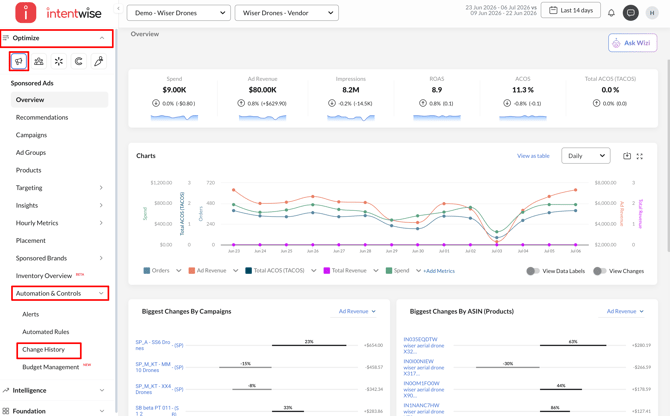
Navigation: Navigate to Optimize → Amazon Sponsored Ads → Automation & Controls → Change History
-
-
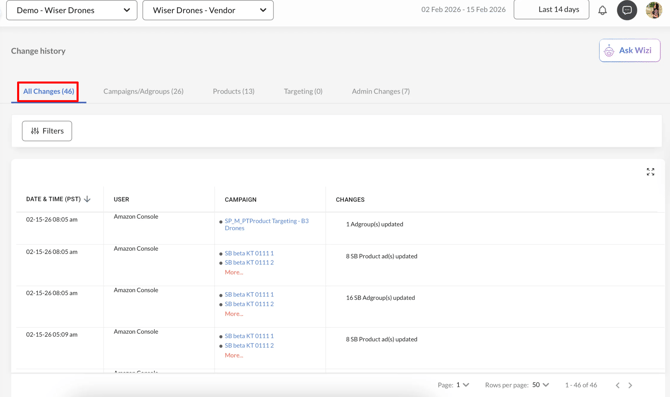
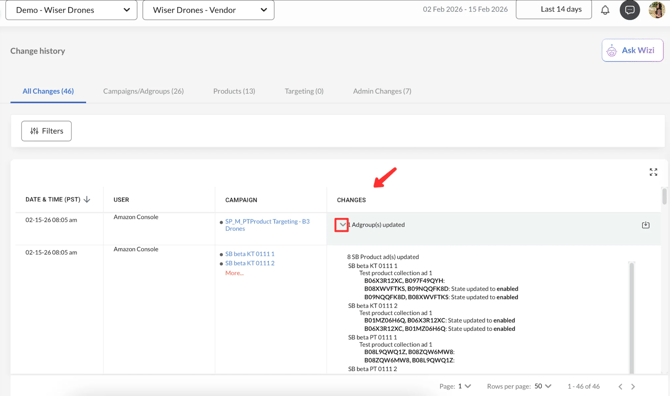
All Changes: A consolidated list of all changes made to the platform
-
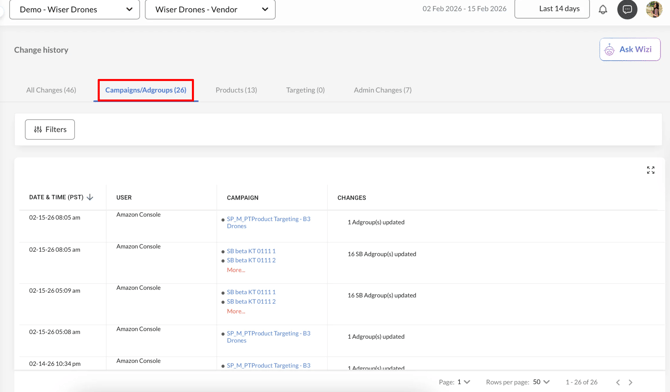
Campaigns/Ad Groups: All changes in Campaigns/Ad Groups (campaign target ACOS, updates, etc.)
-
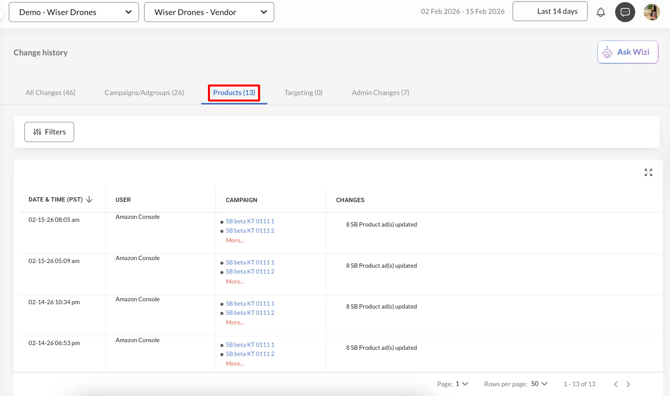
Products: All changes in Products (updated, added, etc.)
-
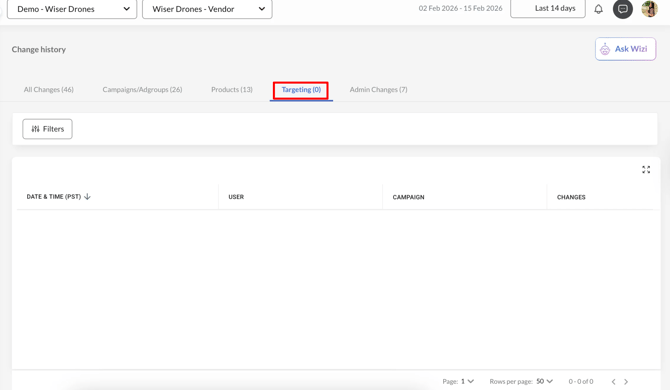
Targeting: All changes in targeting (keywords, negative keywords, product targeting clauses, etc.)
-
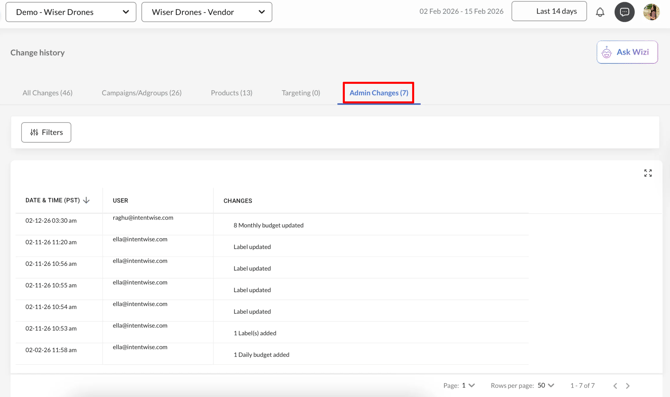
Admin Changes: All the modifications made by Admins
-
-
-
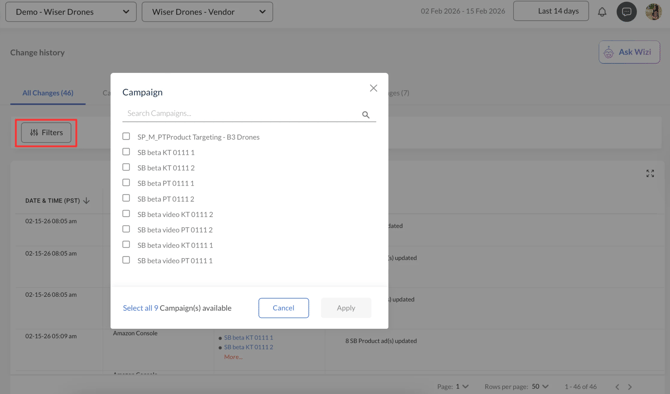
Filter by Campaigns: You can select the campaign(s) to see the change history over the selected time frame.
-
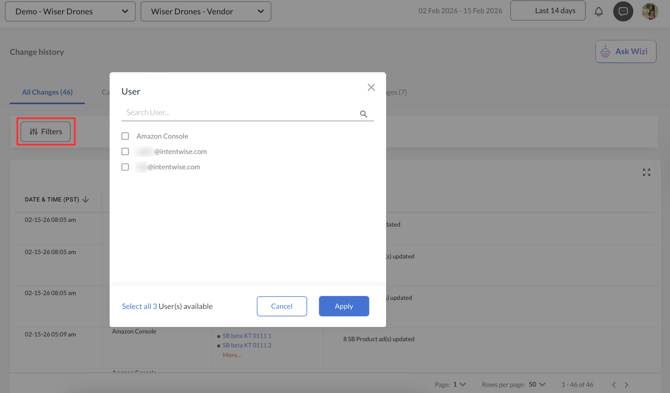
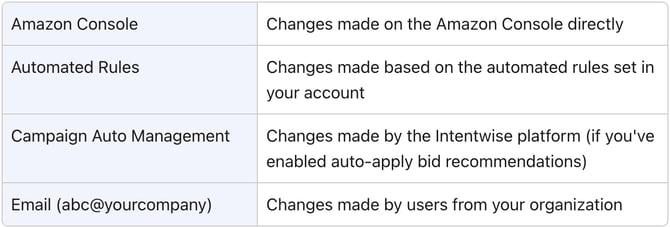
Filter by User: You can filter by user(s) to see all changes made by them during the selected time frame.
-
-
View Changes: Go to Changes > Click on the drop-down button to see the details
Frequently Asked Questions
I’ve enabled the auto-apply feature, but why don’t I see any changes with Campaign Auto Management?
If you’ve recently activated the auto-apply feature, please allow some time for the algorithm to begin generating recommendations and making bid adjustments. Sometimes, it may take longer if there isn’t enough data available. If you don’t see any changes after a few days, please contact us at help@intentwise.com or through our chat support.
Does the Change History show only changes made through Intentwise or all account changes?
The Change History in Intentwise displays changes made both through the Intentwise platform and directly on Amazon. This provides a comprehensive view of all updates across your account.