![footer-logo.png]](https://help.intentwise.com/hs-fs/hubfs/footer-logo.png?width=210&height=40&name=footer-logo.png)
Steps for configuring Microsoft SQL Database Server
To configure Microsoft SQL Database Server with Intentwise Analytics Cloud, follow these steps:
-
Create a new SQL server database. You can pick any name for the database.
-
If your database is behind the firewall, whitelist the following IP addresses. This is required for the Intentwise data pipeline to access your database
-
52.25.90.16
-
34.216.244.114/32
-
52.68.49.96/32
-
52.26.72.39/32
-
52.48.81.207/32
-
54.86.110.101/32
-
52.64.101.124/32
-
52.74.180.132/32
-
18.196.243.206/32
-
35.160.115.182/32
- 35.162.125.75/32
-
-
Create any new user with the <password> in your SQL database
-
Create the following new schemas within the database:
-
amazon_source_data
-
intentwise_ecommerce_graph
-
amazon_marketing_cloud (recommended if you are currently using or intend to use Amazon Marketing Cloud)
-
criteo_source_data (recommended if you are currently using or intend to use Criteo)
-
instacart_source_data (recommended if you are currently using or intend to use Instacart)
-
walmart_source_data (recommended if you are currently using or intend to use Walmart)
-
-
Set amazon_source_data as the default schema for the user created in step #3 by
using this query:-
ALTER USER intentwise_user WITH DEFAULT_SCHEMA = amazon_source_data;
-
-
Grant read/write permissions for the user-created step #3 by using this query:
-
GRANT ALL ON amazon_source_data TO intentwise_user;
-
GRANT ALL ON intentwise_ecommerce_graph TO intentwise_user;
-
-
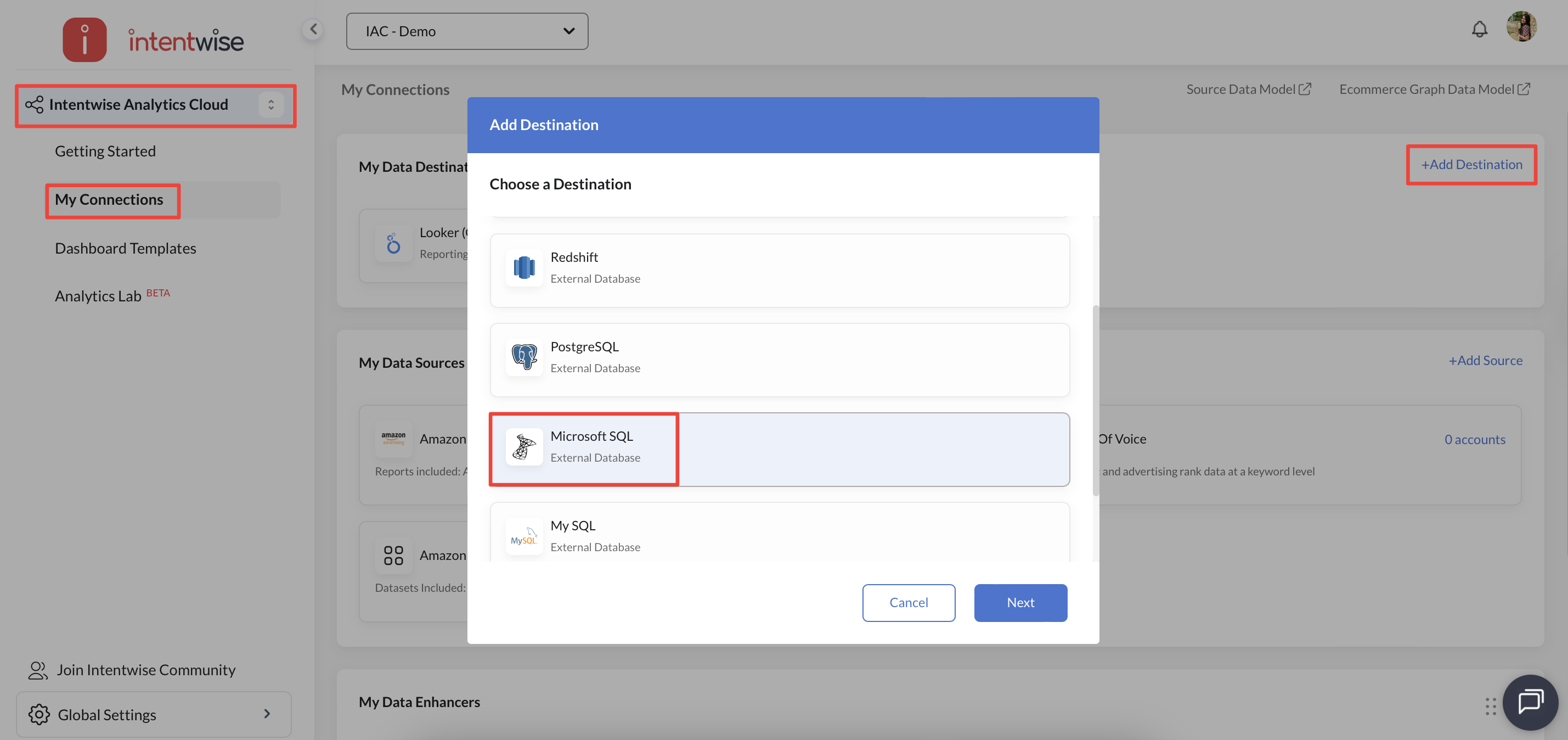
Now, go to the Intentwise platform and navigate to My Connections under Intentwise Analytics Cloud. Click on "+ Add Destination", choose Microsoft SQL as the destination and click Next
-
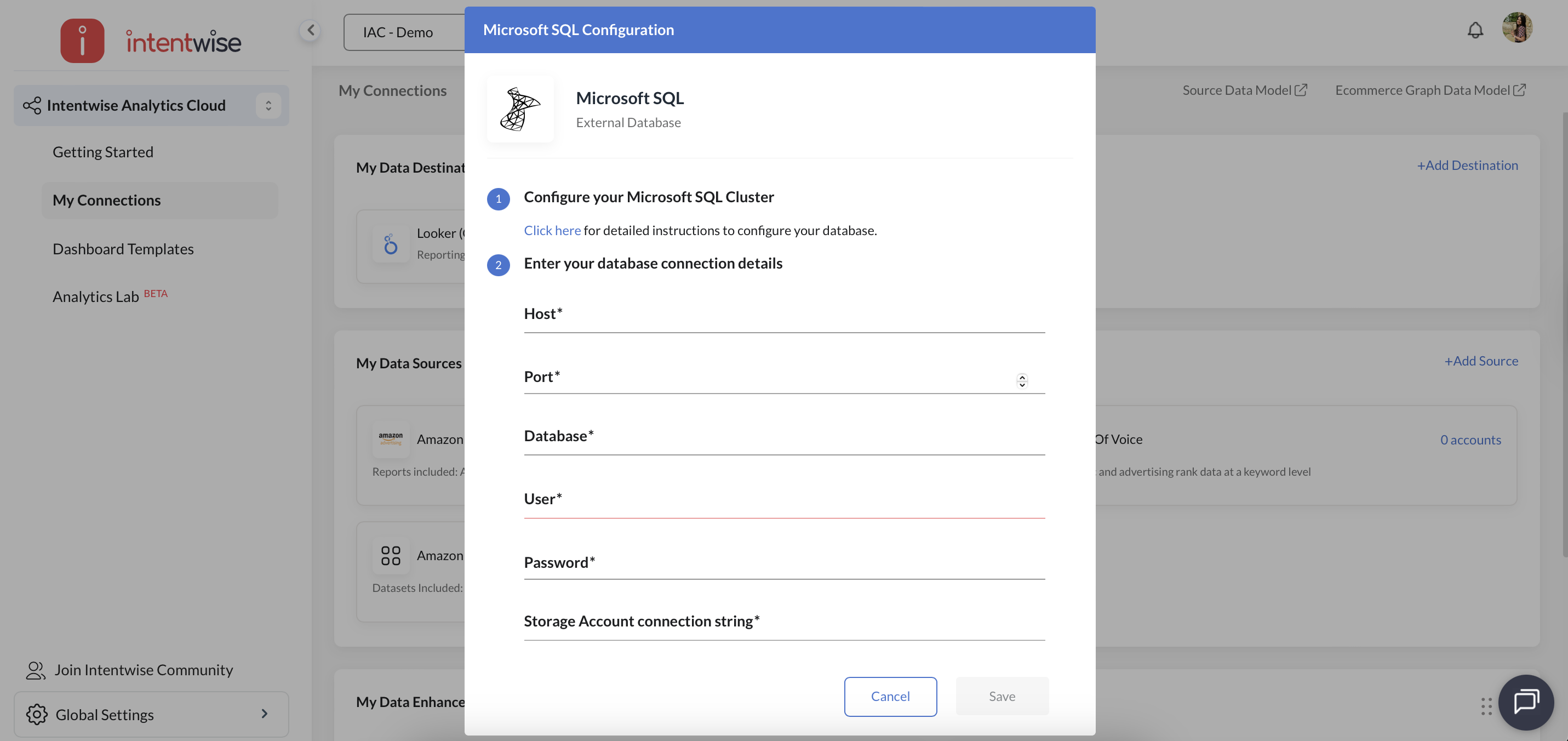
And enter the Host, Port, Database, User, and Password details, and Save.
-
On completion, you will see a success message.
-
For any further questions on the pipeline setup, please reach out to us on chat or at help@intentwise.com.