![footer-logo.png]](https://help.intentwise.com/hs-fs/hubfs/footer-logo.png?width=210&height=40&name=footer-logo.png)
Walmart Marketplace offers two primary types of API access based on whether you are a first-party (1P) supplier/vendor or a third-party (3P) seller. The key difference between the two lies in your relationship with Walmart: 1P suppliers/vendors (including Drop Ship Vendors (DSV) and warehouse vendors) sell directly to Walmart, while 3P sellers sell directly to customers through Walmart's platform. This guide outlines the steps and processes for accessing the APIs for 3P Sellers.
API Access
The Marketplace API provides these sellers with tools to manage feeds, items, orders, and other settings.
Steps to Provide API Access:
-
Click on Account Management in the bottom left corner under Global Settings.
Then go to Accounts > Add Accounts > Walmart Marketplace account and click Next.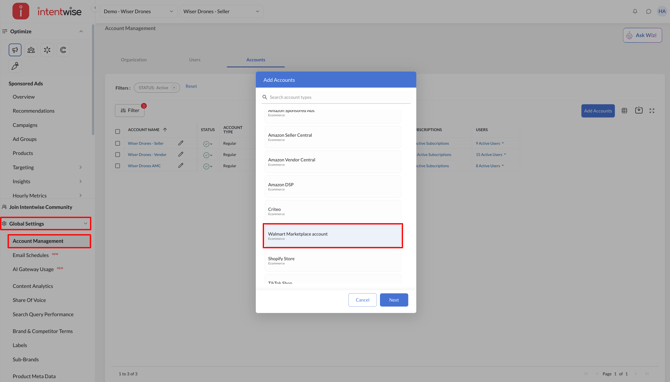
-
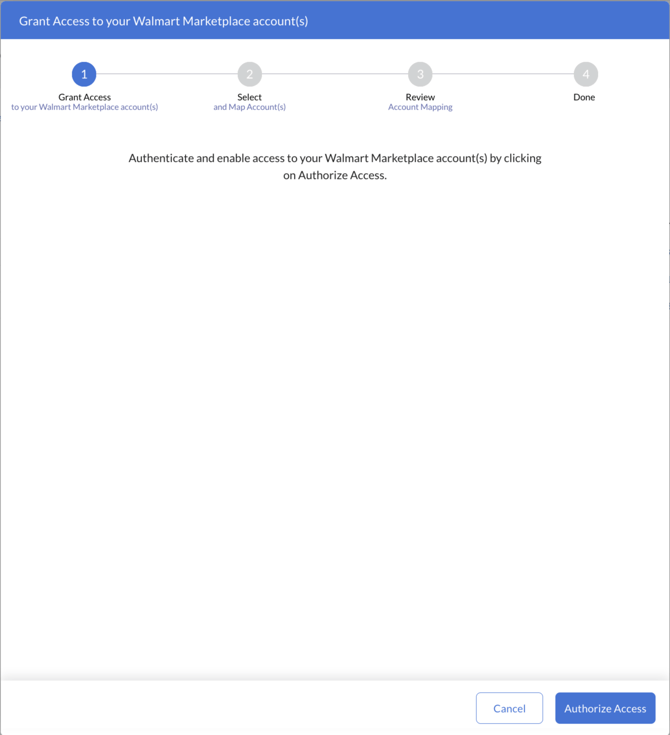
Click Authorize access, and the next step is to log in to your Walmart Marketplace account. Ensure the email address you are signing in with has Admin access to the account on the Walmart console.
-
Select the account you want to map from the list of accounts and click Next.
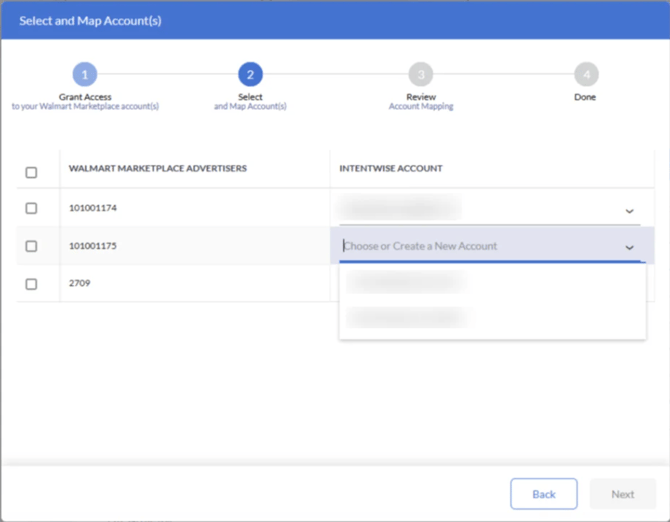
- Review the Walmart Marketplace account and the corresponding Intentwise account you want to map it to, then click Done.
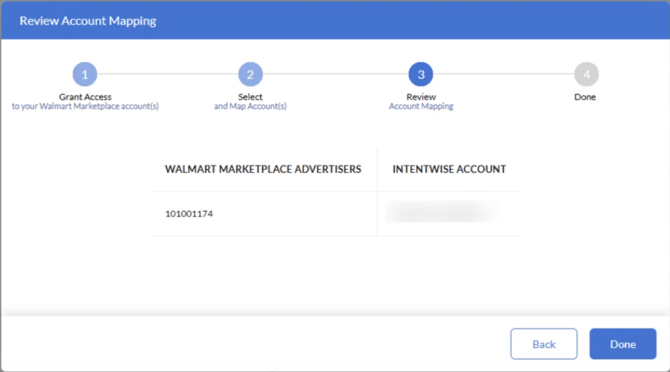
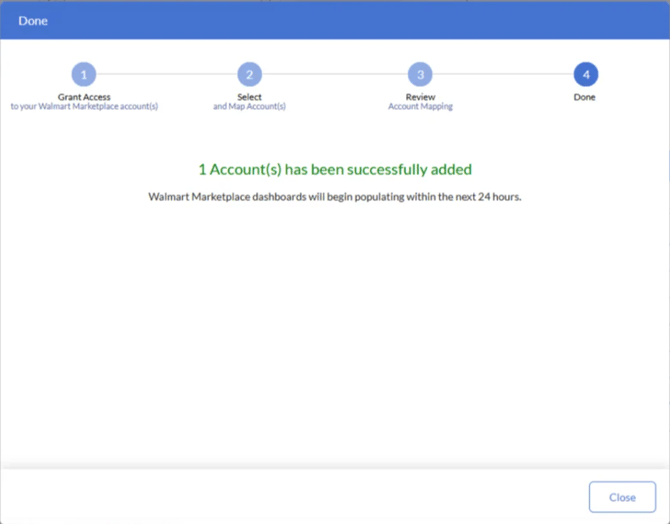
- Once the account is successfully added, data will begin populating in the Walmart Marketplace dashboards within 24 hours.