![footer-logo.png]](https://help.intentwise.com/hs-fs/hubfs/footer-logo.png?width=210&height=40&name=footer-logo.png)
Shopify store is now supported as a data source in Intentwise Analytics Cloud (IAC).
Connect your Shopify store to Intentwise Analytics Cloud to access performance and insights. 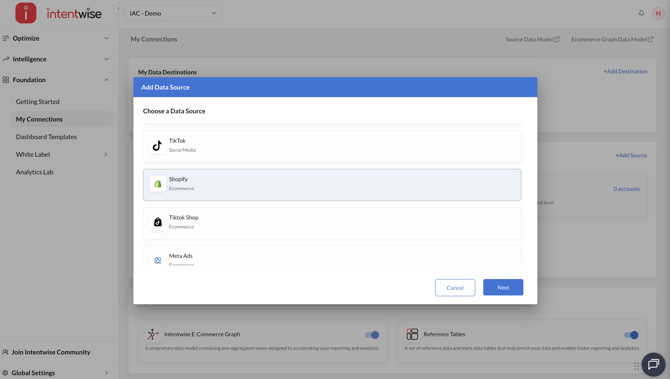
How to connect Shopify store in Intentwise
You can connect your Shopify store by following these steps:
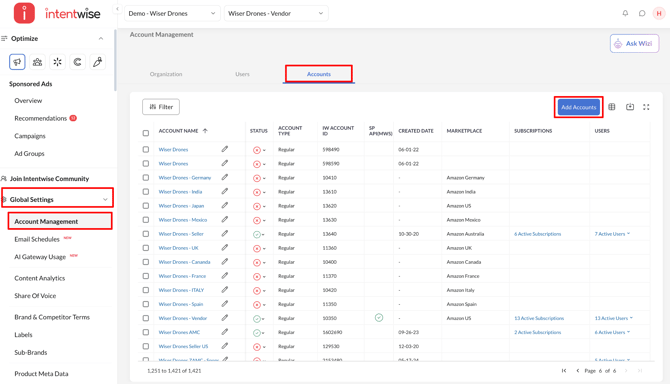
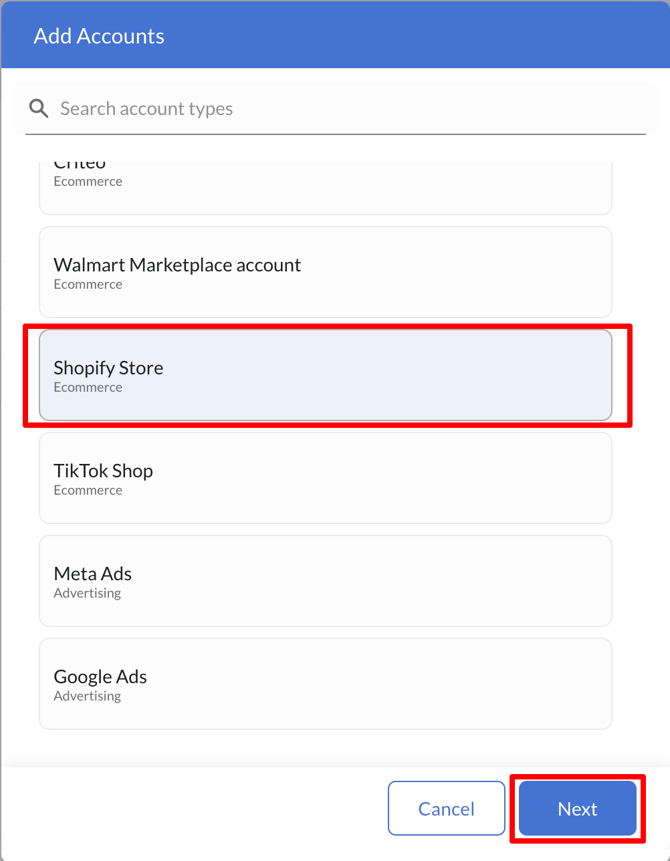
- Click Account Management in the bottom-left corner under Global Settings. Then go to Accounts → Add Accounts → Shopify and click Next.
- Enter your Shopify store name in the Enter the store name field, click Authorize Access, log in to the Shopify account that owns the store if prompted, approve the requested access, and you’ll be redirected back to Intentwise to continue the account connection process.
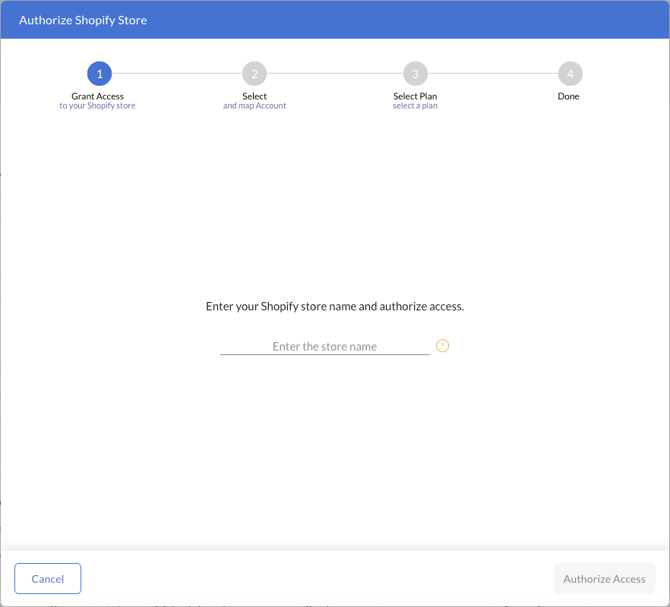
Note: Hover over the info icon next to the field for guidance on where to find your store name in the top-right corner of the Shopify admin page (click the help image to view it larger); the Authorize Access button remains disabled until a store name is entered, and once authorization is successfully completed, the screen will display Access Granted. - After authorization, review the Shopify store displayed in the Store Name column, select the matching existing Intentwise account in the Intentwise Account field, or enter a new account name and click Create New if no matching account exists, then click Next.
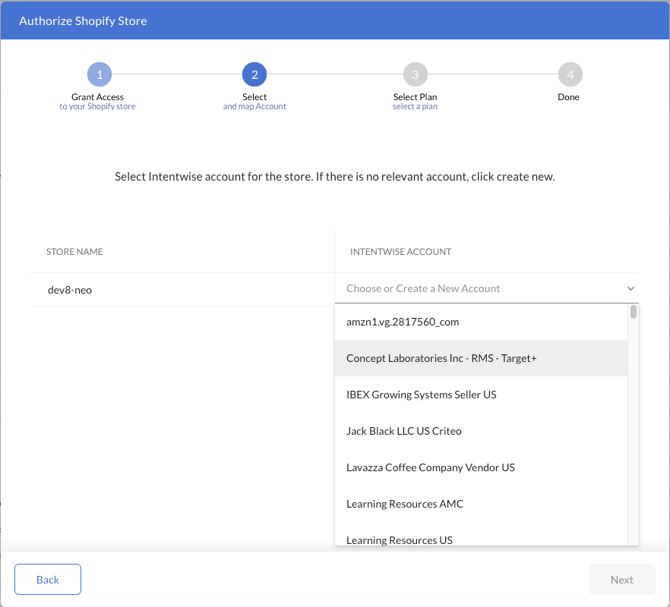
The Intentwise Account field supports search, allowing you to map the Shopify store to an existing active Intentwise account or create a new account directly from the mapping field (marked New) if no relevant account exists; the Next button remains disabled until the Shopify store has either an Intentwise account mapping or a new account name. - Shopify requires a pricing plan to be approved on the Shopify side before data can flow, so review the message Continue to Shopify to select a pricing plan, click Select Plan in Shopify, select and approve the plan on the Shopify billing page, and you’ll be redirected back to Intentwise, where the flow will proceed to the success screen.
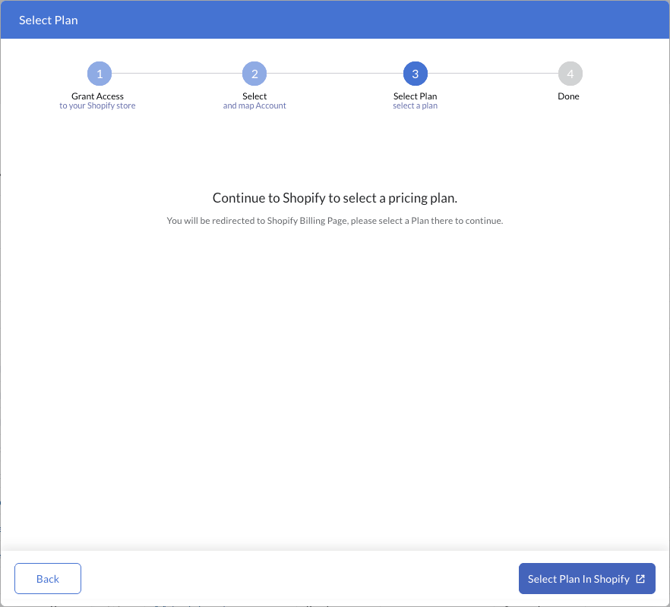 Use Back to return to the mapping step; if the store already has an active plan, Intentwise skips this step and proceeds directly to the success screen, while if the pricing link cannot be loaded, the screen displays “Shopify pricing link is unavailable. Please try again.” and the button remains disabled.
 - After the plan is approved, a success message will be displayed confirming that the selected Shopify store has been connected successfully. Data will begin flowing into Intentwise within 24 hours.
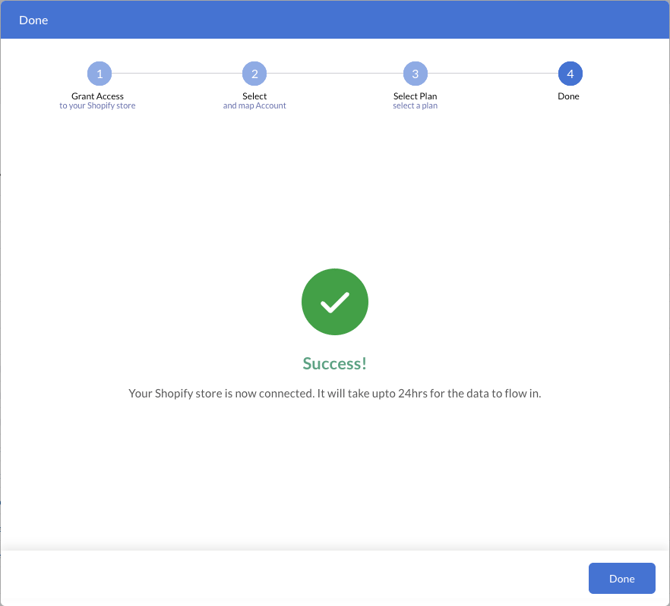
Note: If the Shopify store is already connected to an Intentwise account, Intentwise skips the mapping step and takes you directly to the plan step using the existing account mapping, and straight to the success screen if that account already has an active Shopify plan.
How to enable a Shopify store account as a data source on Intentwise
To enable the Shopify store account(s) as a data source within Intentwise, follow these steps:
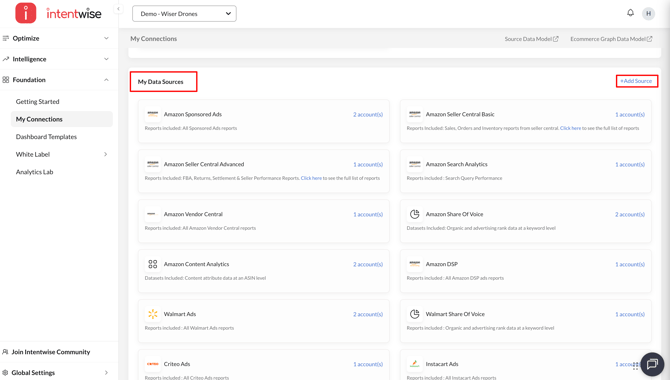
- Navigate to Foundation → My Connections in the left navigation menu and
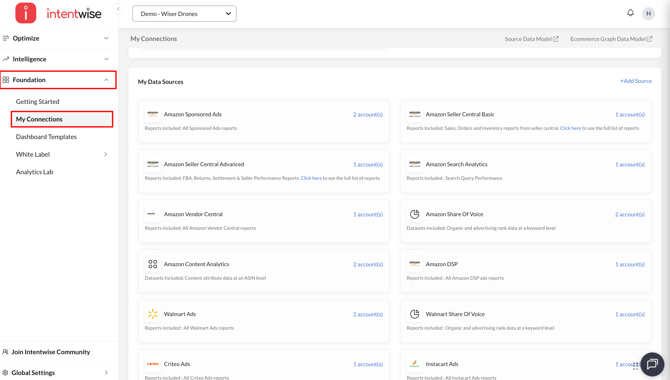
- Navigate to My Data Sources and click on +Add Source
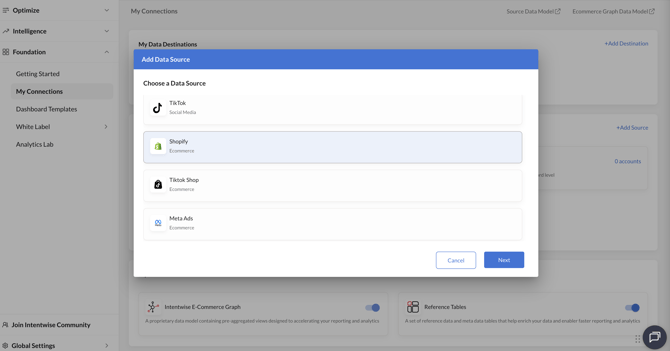
- Select Shopify and click Next
- Select the account to be enabled as a data source and click Enable.
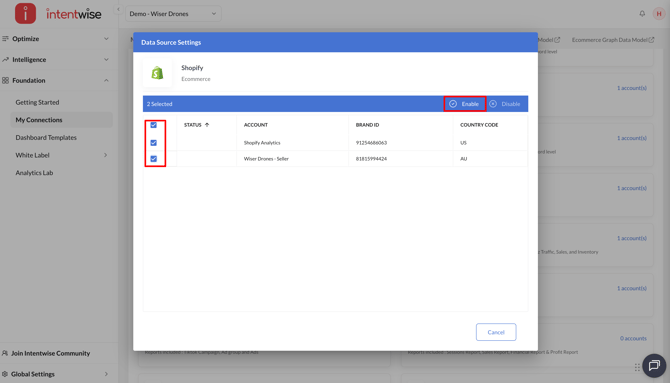
Note: Once the account is enabled as a data source, it will take 24 hours for Intentwise to start capturing the data
How to access Shopify store data on Intentwise
To view your Shopify store data within Intentwise, follow these steps:
- Navigate to Intelligence → Commerce Insights → Retail Insights from the left navigation menu.
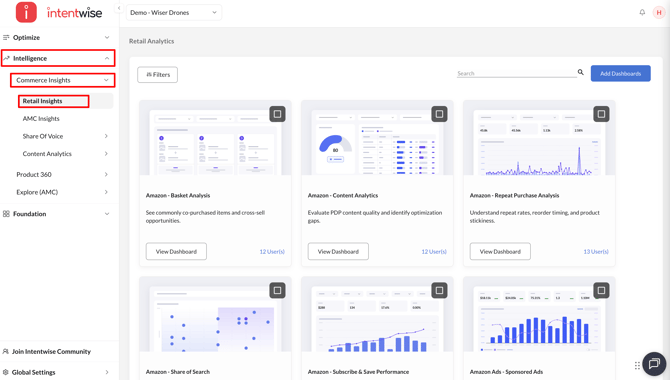
- Click on the Add Dashboards button
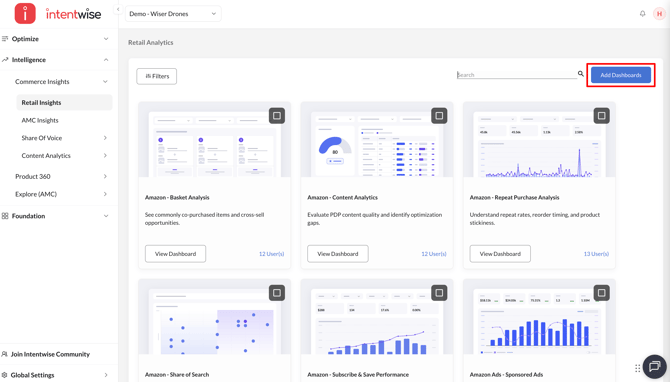
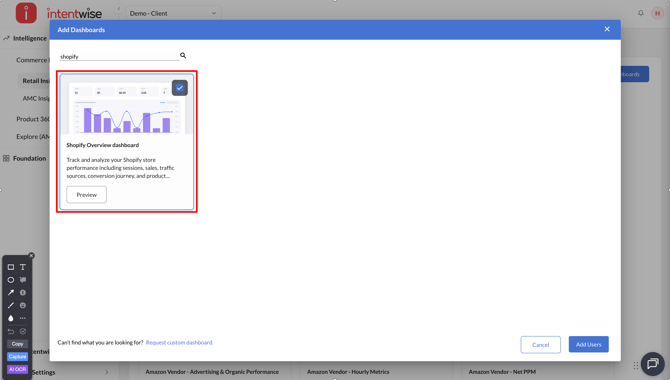
- Enable the Shopify Overview dashboard
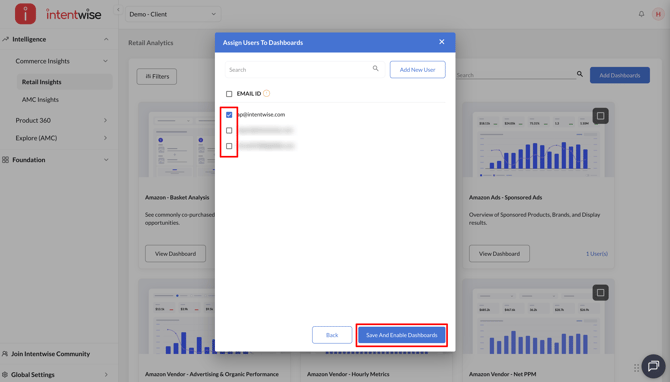
- Assign users and click Save And Enable Dashboards
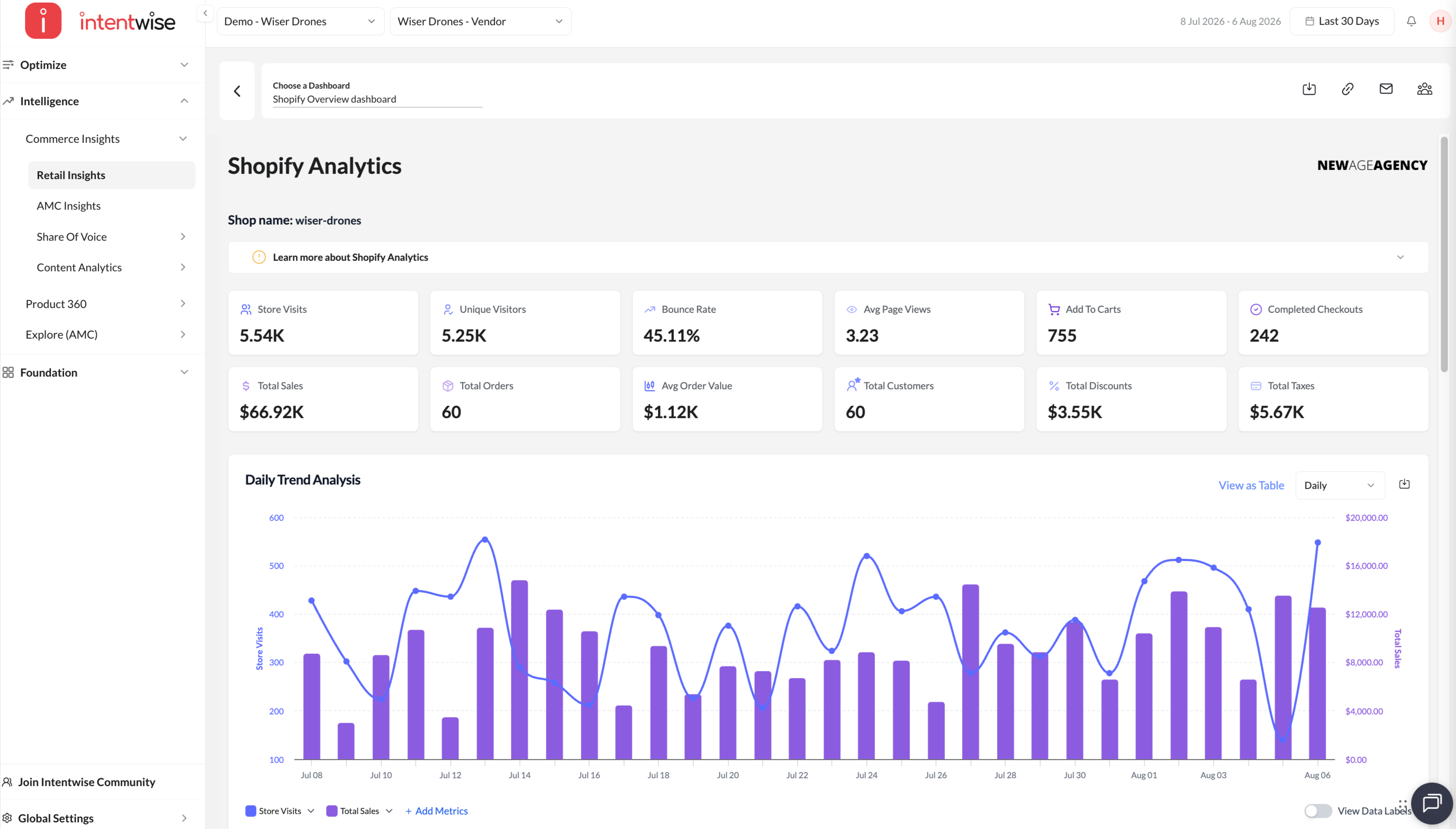
- Go to the Shopify Overview dashboard and click on View dashboard
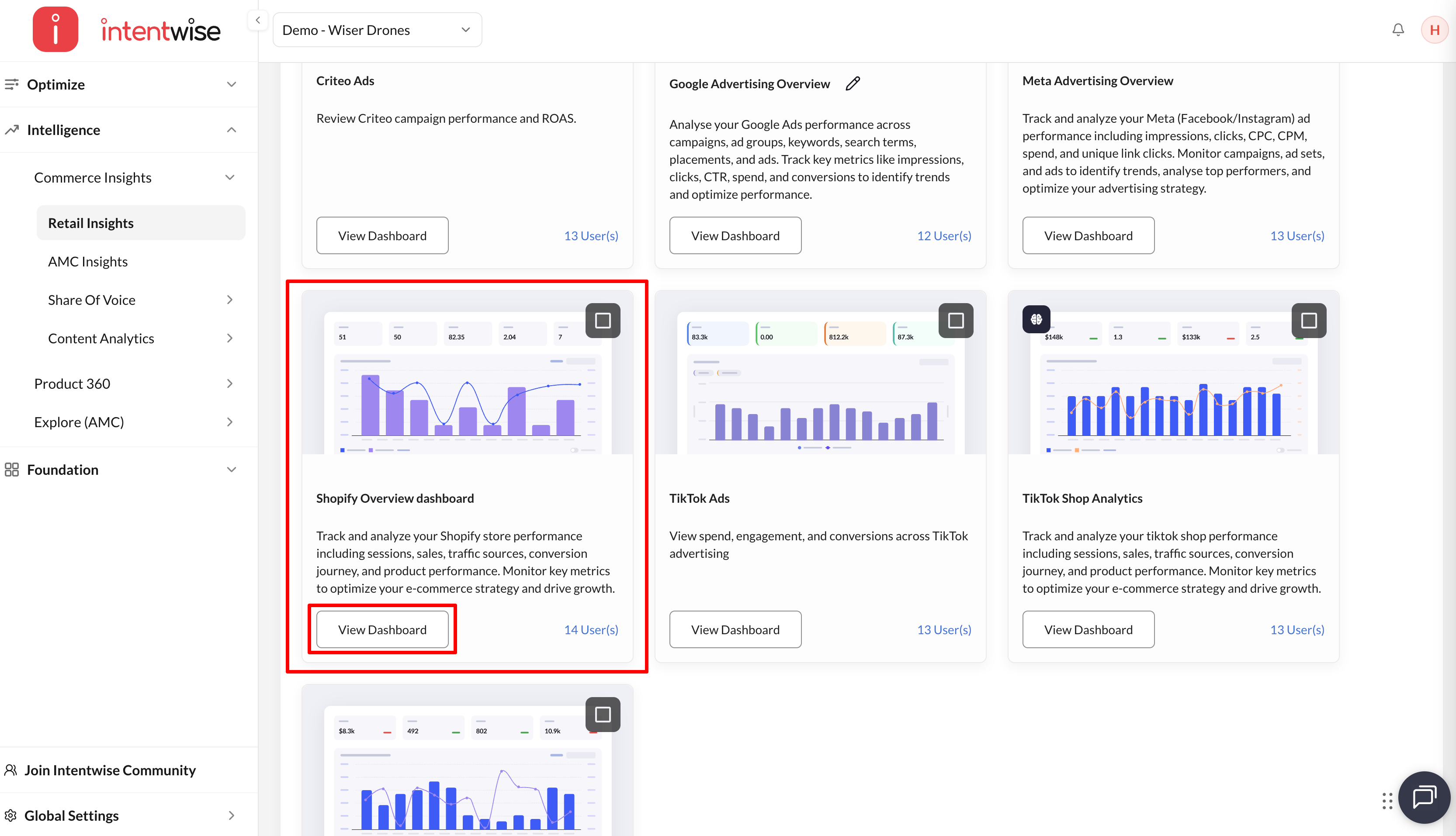
- Access the dashboard
Key Use Cases
-
Commerce Performance Analysis: Track Shopify store performance across sales, sessions, and conversion journeys.
-
Product Insights: Analyze product-level performance to identify top-selling items and trends.
-
Traffic Source Analysis: Understand how different traffic sources contribute to Shopify sales and conversions.