![footer-logo.png]](https://help.intentwise.com/hs-fs/hubfs/footer-logo.png?width=210&height=40&name=footer-logo.png)
Steps for disabling an account
If you want to disable your account, follow these steps:
-
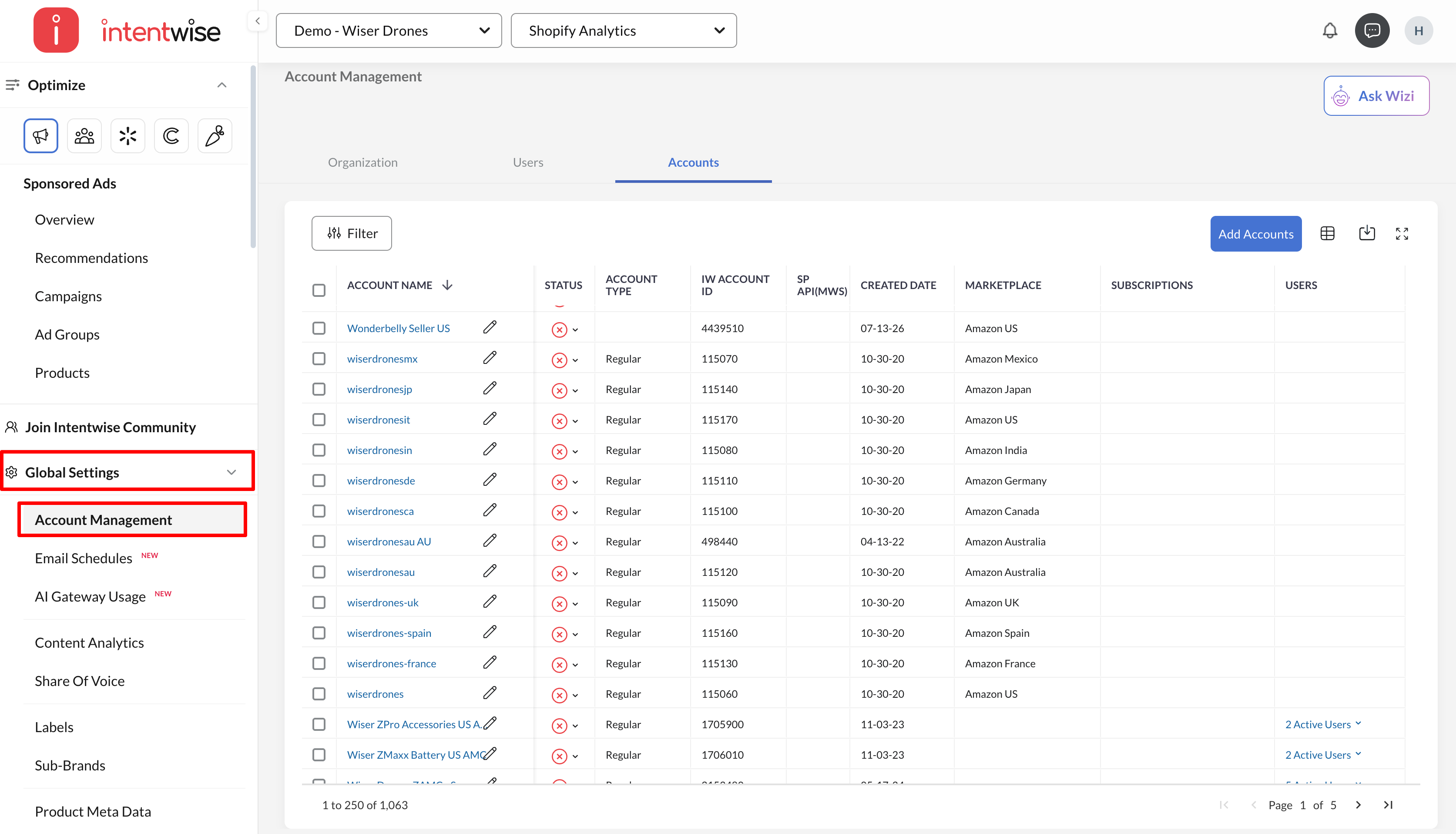
Go to Global Settings > Account Management
-
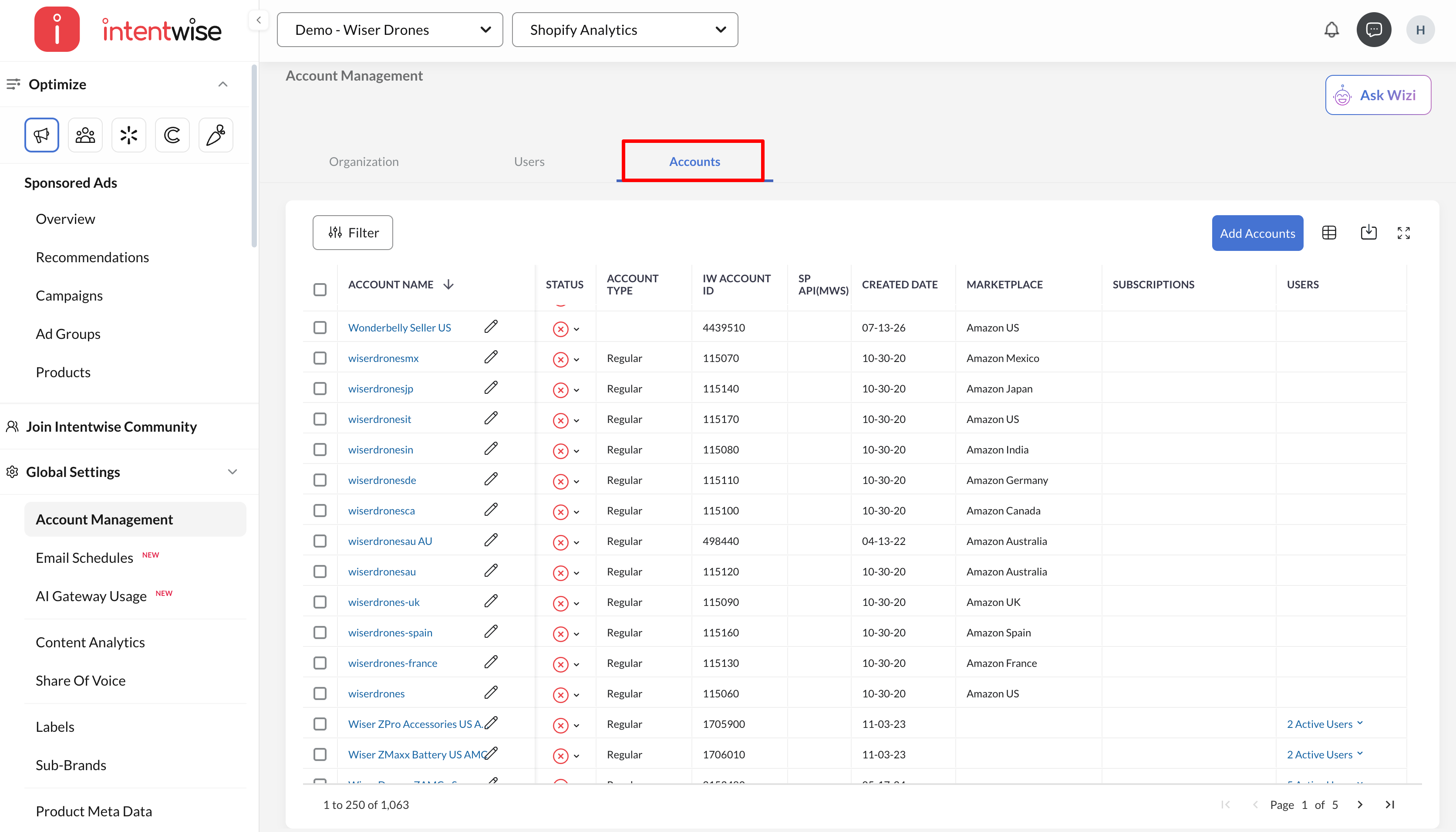
Navigate to the Accounts tab
-
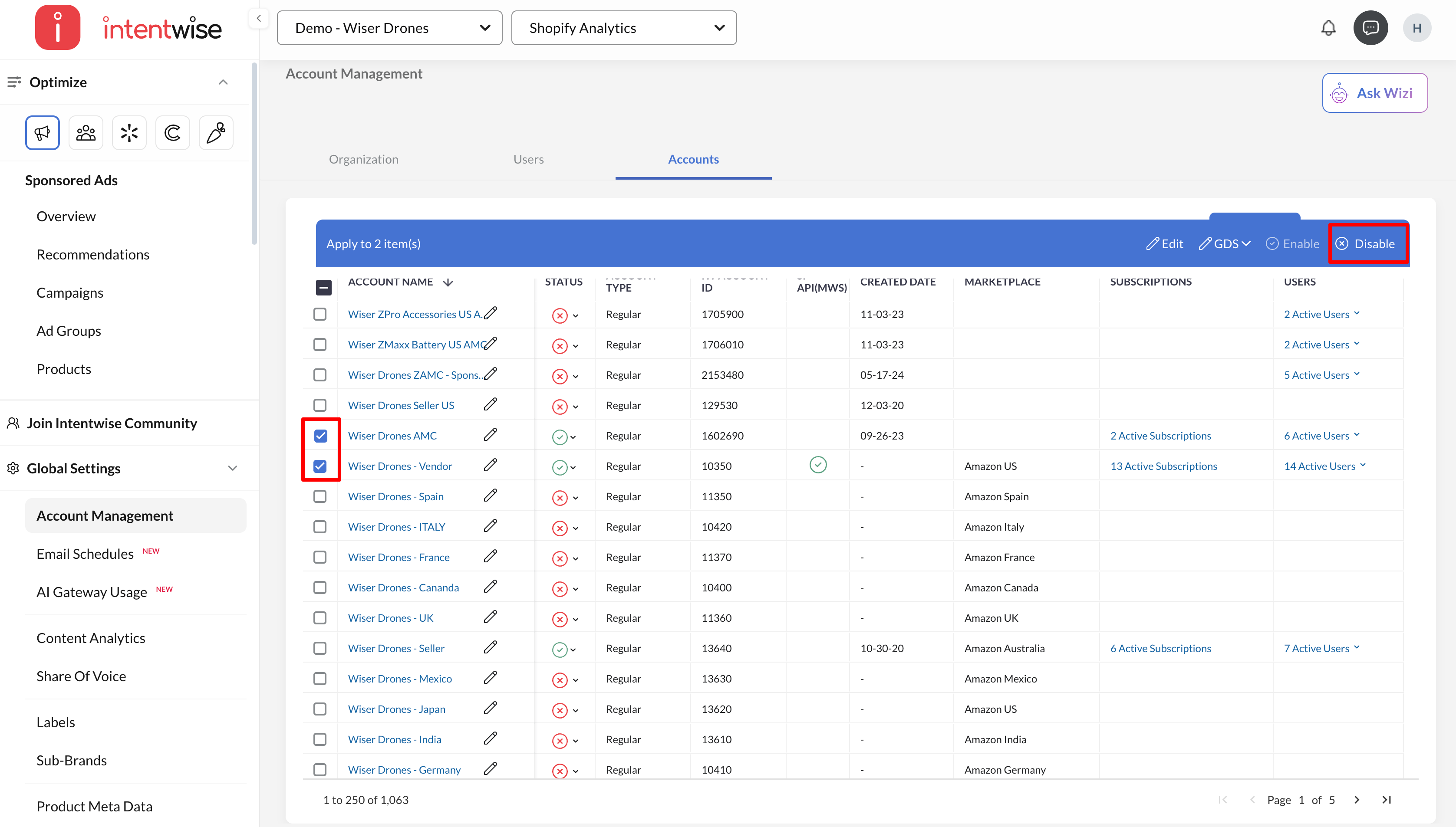
Select the account(s) you want to remove and click Disable
-
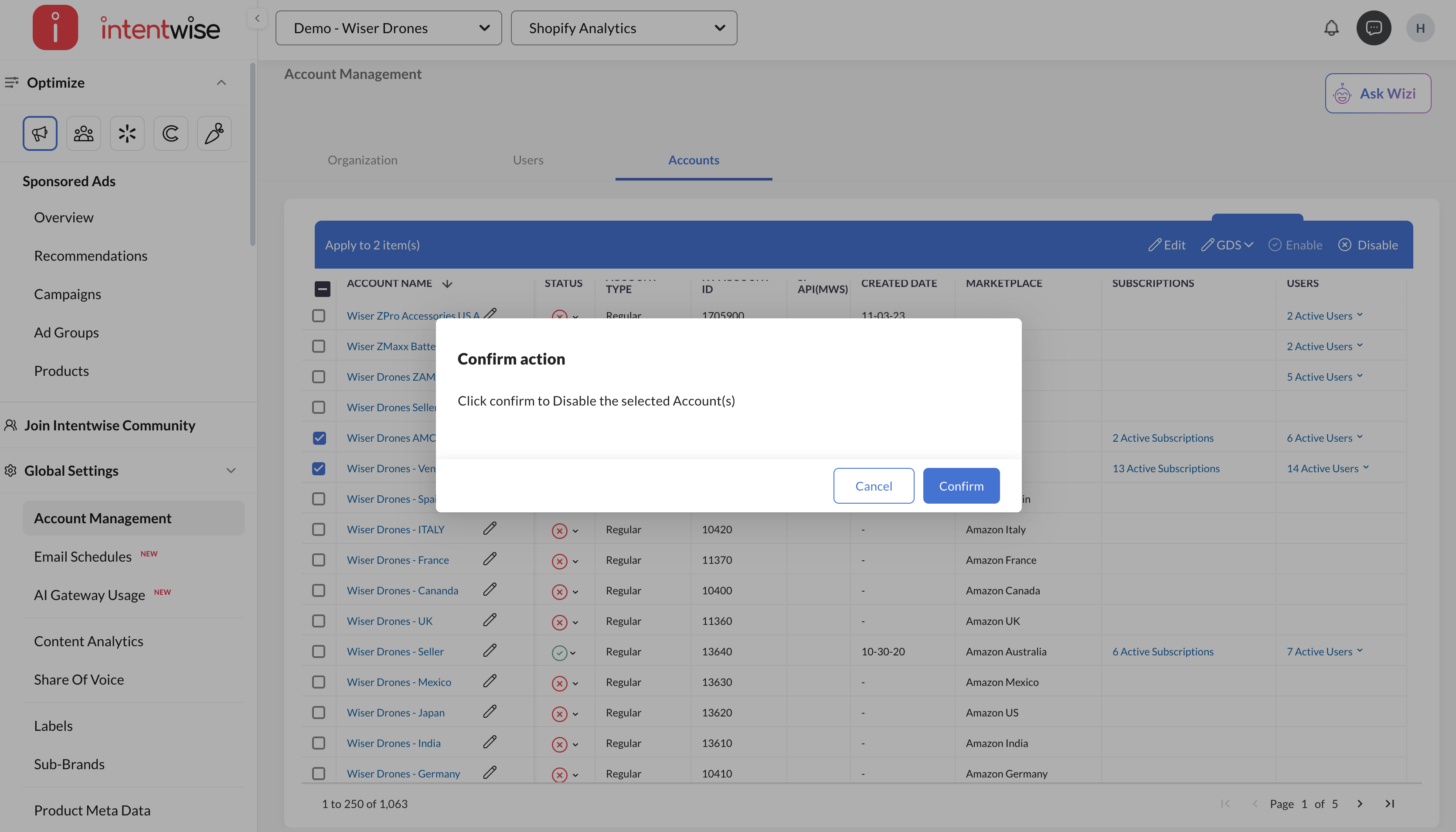
Confirm
If you want to disable your account, follow these steps:
Go to Global Settings > Account Management
Navigate to the Accounts tab
Select the account(s) you want to remove and click Disable
Confirm