![footer-logo.png]](https://help.intentwise.com/hs-fs/hubfs/footer-logo.png?width=210&height=40&name=footer-logo.png)
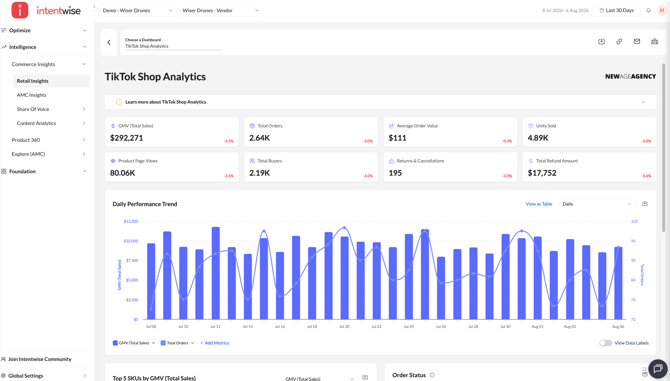
Connect your TikTok Shop accounts to Intentwise Analytics Cloud to access performance and insights. 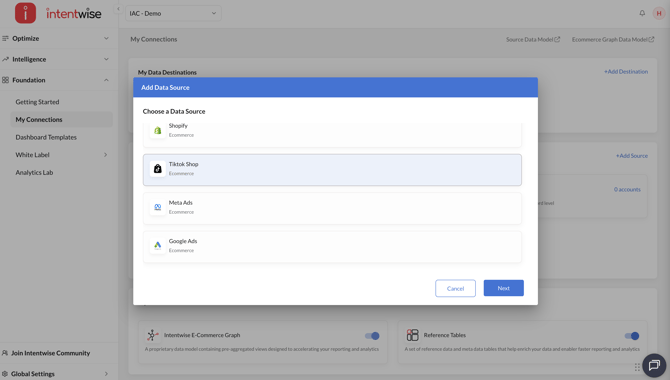
How to connect TikTok Shop Account(s) in Intentwise
You can connect your TikTok Shop account(s) by following these steps:
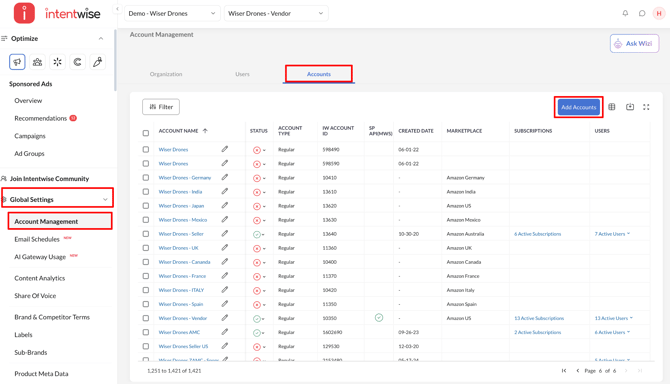
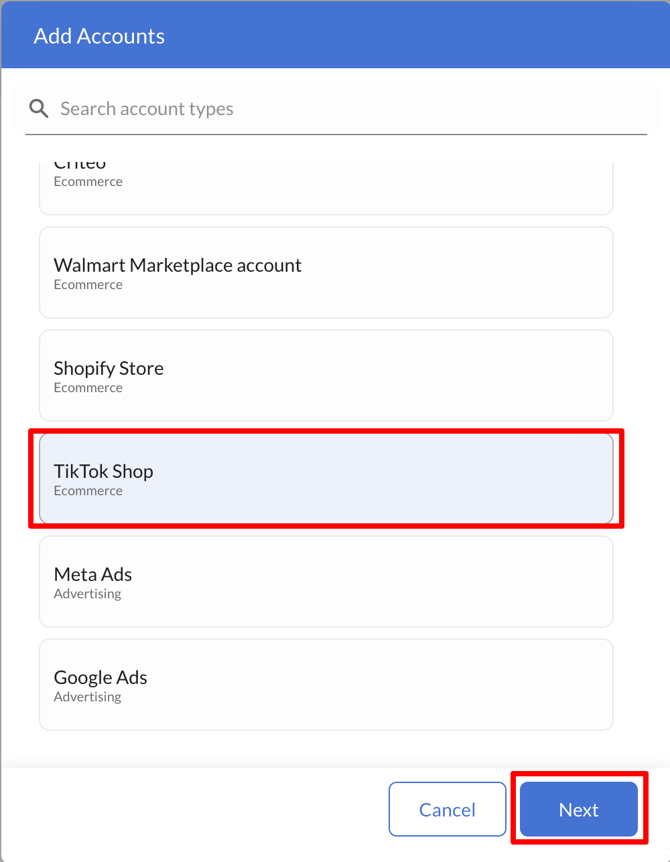
- Click Account Management in the bottom-left corner under Global Settings. Then go to Accounts → Add Accounts → TikTok Shop and click Next.
- Under Select the region where your TikTok Shop account was created, select US or All Other Regions, and click Authorize Access.
Log in to TikTok with the account that has access to the relevant TikTok Shop account(s), approve the requested permissions, and you’ll be redirected back to Intentwise to continue the account connection process.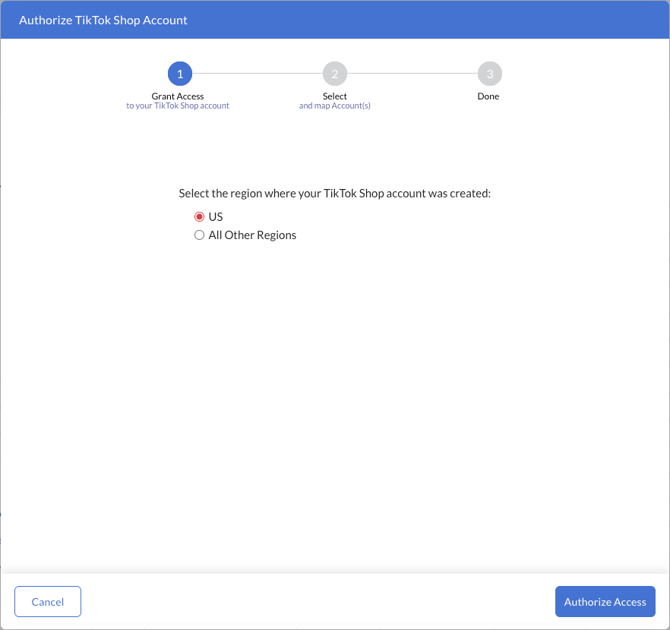
Notes:
- The Authorize Access button remains disabled until you select a region.
- Select the region carefully. TikTok uses different authorization endpoints for US and non-US shops, so selecting the wrong region will prevent your accounts from being retrieved.
- Once authorization is successfully completed, the screen will display Access Granted.
- After authorization, Intentwise displays all TikTok Shop accounts returned by TikTok; select the accounts you want to connect, map each selected account to an existing Intentwise account or create a new one if needed, and click Submit to complete the setup.
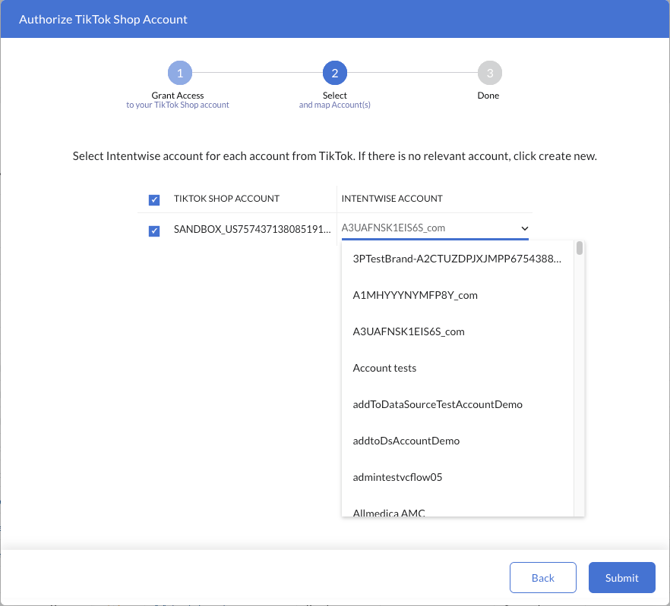
You can use the search option to find an Intentwise account to map to each TikTok Shop account. The Submit button will be enabled only after the TikTok Shop account(s) have been mapped to an existing Intentwise account(s) or a new account(s) have been created. - After submitting the mapping, a success message will be displayed confirming that the selected TikTok Shop account(s) have been added successfully. Data will begin flowing into Intentwise within 24 hours.
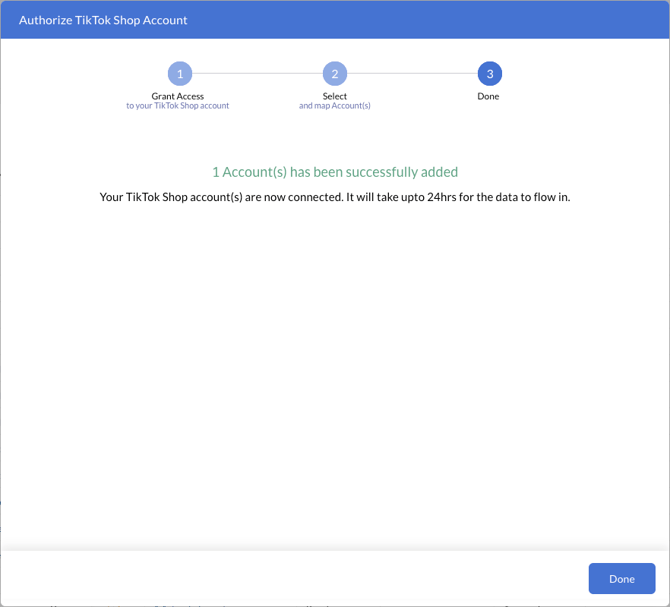
Note: If the TikTok Shop account is already connected to an Intentwise account, Intentwise skips the mapping step and takes you directly to the success screen.
How to enable TikTok Shop account(s) as a data source on Intentwise
To enable the TikTok Shop account(s) as a data source within Intentwise, follow these steps:
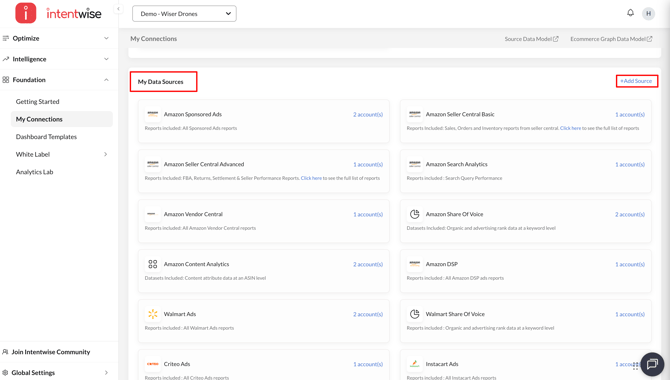
- Navigate to Foundation → My Connections in the left navigation menu and
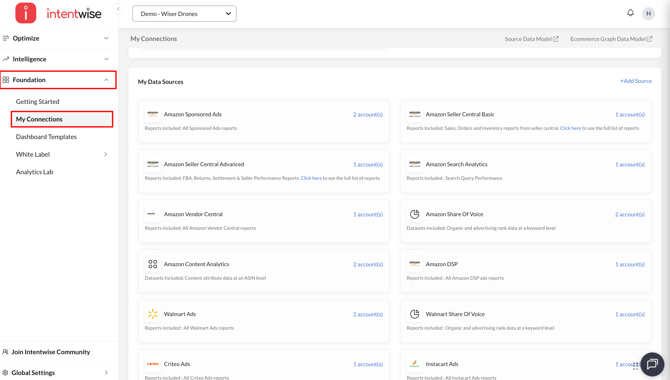
- Navigate to My Data Sources and click on +Add Source
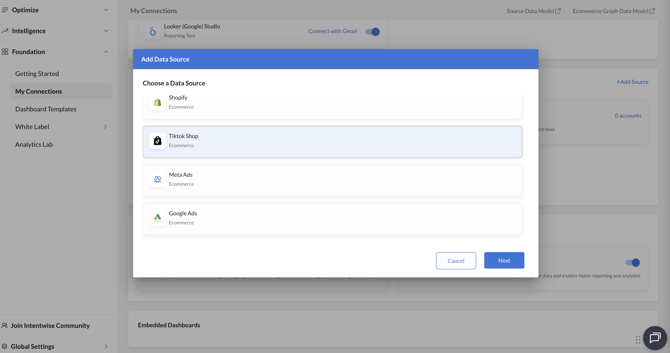
- Select TikTok Shop and click Next
- Select the account to be enabled as a data source and click Enable.
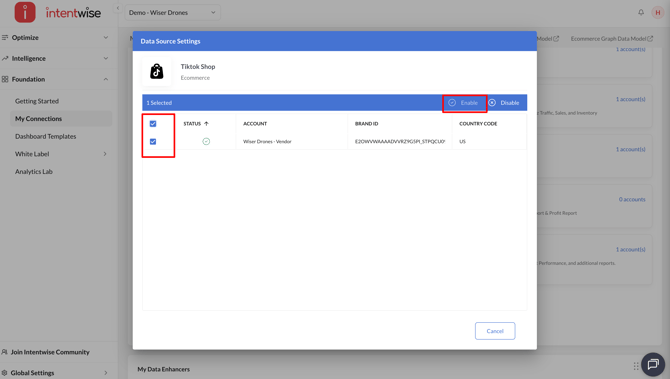
Note: Once the account is enabled as a data source, it will take 24 hours for Intentwise to start capturing the data
How to access TikTok Shop data on Intentwise
To view your TikTok Shop data within Intentwise, follow these steps:
- Navigate to Intelligence → Commerce Insights → Retail Insights from the left navigation menu.
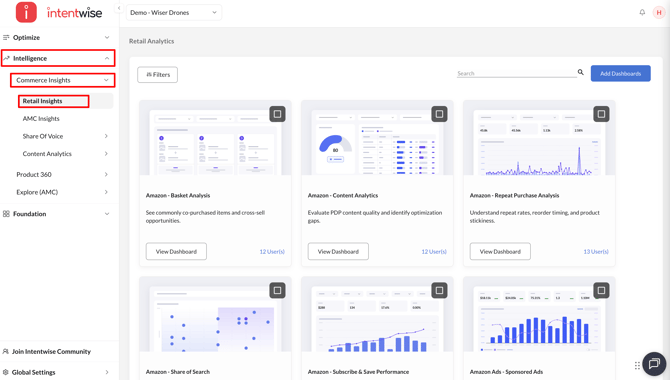
- Click on the Add Dashboards button
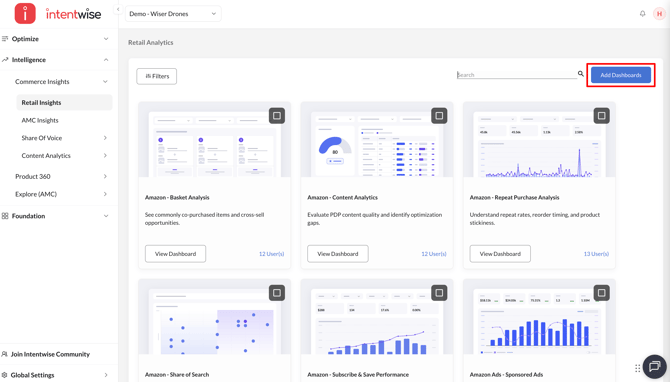
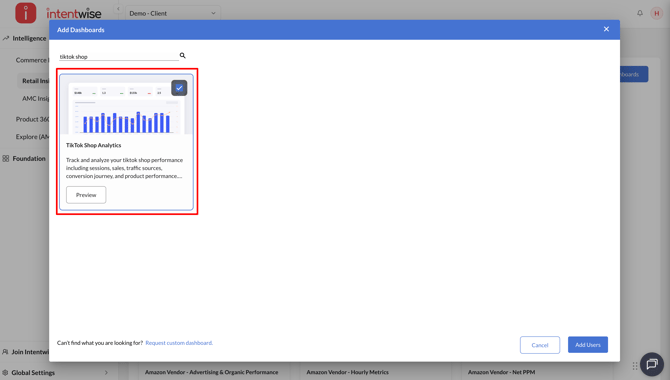
- Enable the TikTok Shop Analytics dashboard
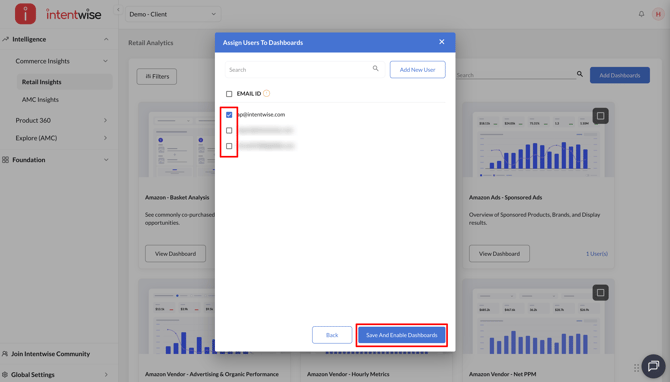
- Assign users and click Save And Enable Dashboards
- Go to the TikTok Shop Analytics dashboard and click on View dashboard
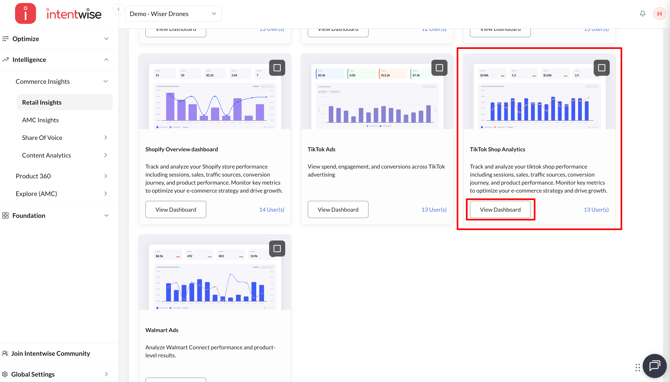
- Access the dashboard