![footer-logo.png]](https://help.intentwise.com/hs-fs/hubfs/footer-logo.png?width=210&height=40&name=footer-logo.png)
Negative keywords let you stop your Walmart Sponsored Products ads from serving on search terms you don't want to pay for: irrelevant queries, non-converting terms, or terms where your Auto and Manual campaigns compete against each other. Learn how to add and manage negatives directly in Intentwise, and what to expect from Walmart's implementation.
Prerequisites
- Negative keywords are supported only for Sponsored Products campaigns using Auto or Manual (keyword-targeted) targeting.
- Sponsored Brands and Sponsored Videos are not supported, because Walmart does not offer negative keywords for these ad types.
Note: Ineligible campaigns are gated in the interface with an inline reason, so you'll always know why the option isn't available for a given campaign.
How Negative Keywords Work
Adding a negative keyword tells Walmart to exclude a search term from a specific ad group, so your budget shifts toward queries that convert. Negatives in Walmart are applied at the ad group level - when you add one, Intentwise resolves the target ad group before submitting.
Match Types
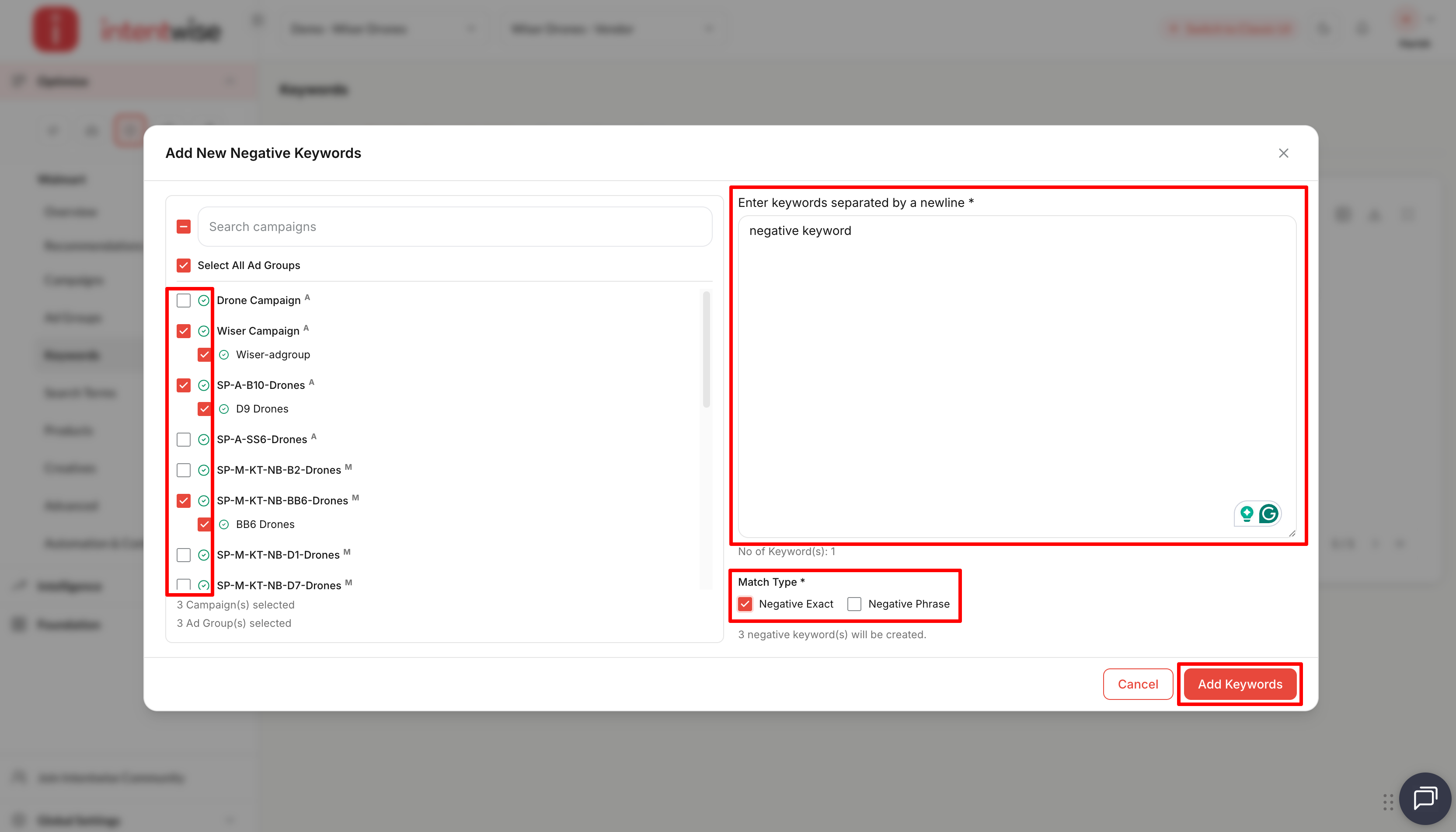
Walmart supports two negative match types. There is no broad negative match type.
|
Match type |
What it blocks |
Best for |
|
Negative exact |
The search term only when it matches word-for-word |
A specific query, or a competitor / brand term |
|
Negative phrase |
Any search containing the phrase, even with other words around it |
A theme of related queries |
States
A negative keyword can be enabled, paused, or archived.
Note: There is no hard delete. Archived is the terminal state - archiving removes a negative from your active list and stops it being applied.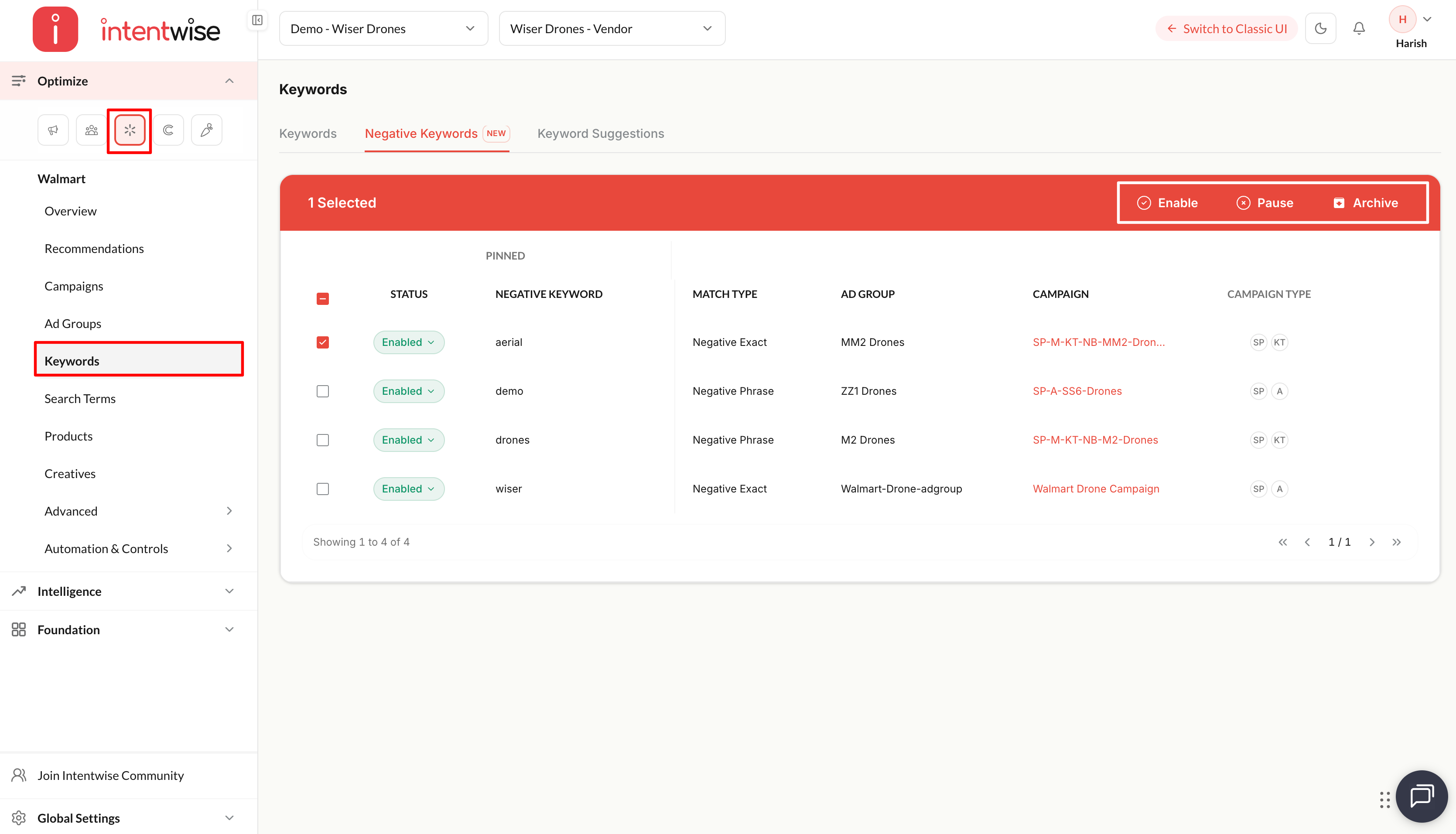
Adding Negatives from the Search Terms Dashboard
This is the fastest way to block wasted spend, because each search term already carries its campaign, ad group, and performance context.
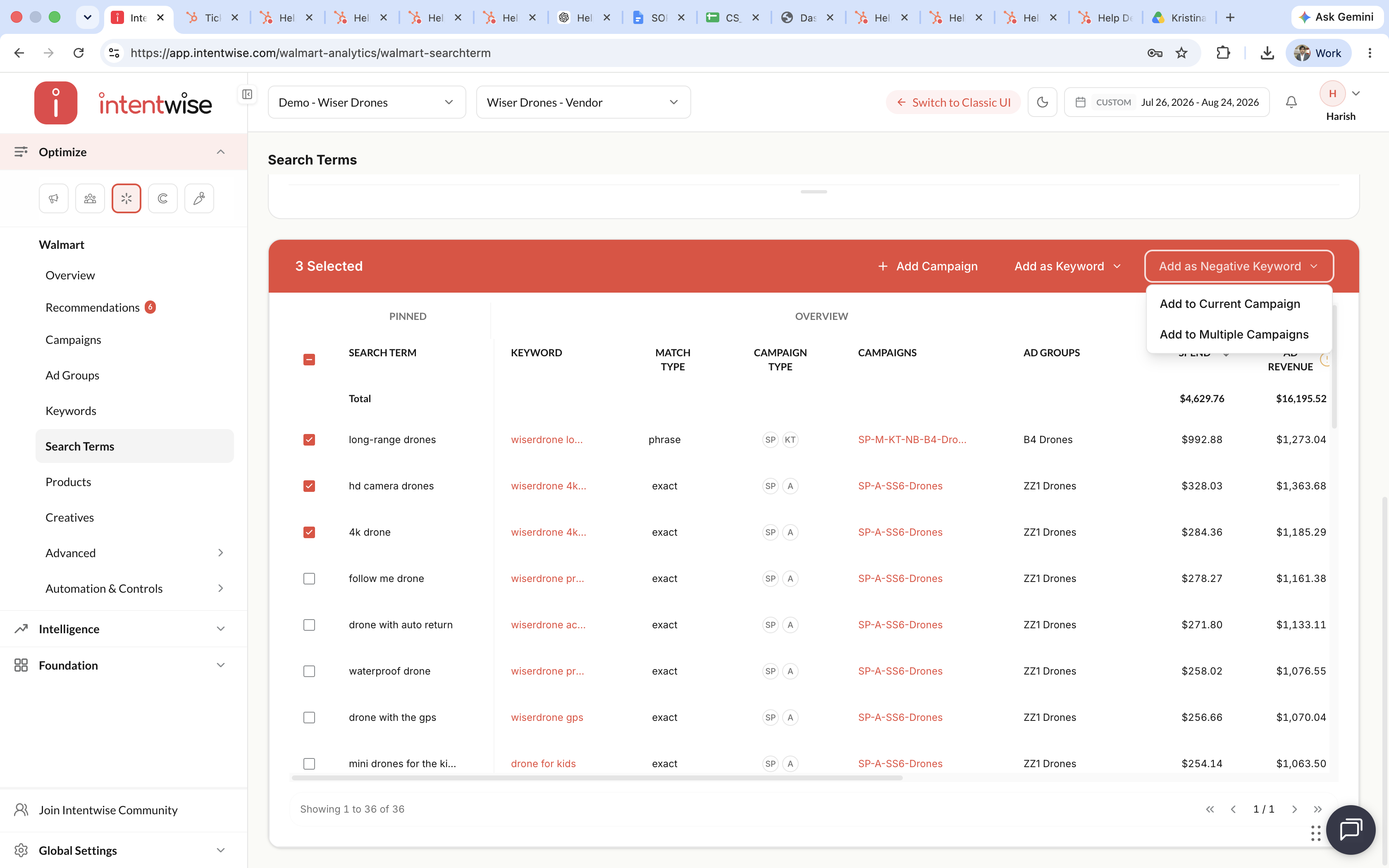
- Open the Search Terms dashboard.
- Select one or more search terms you want to exclude.
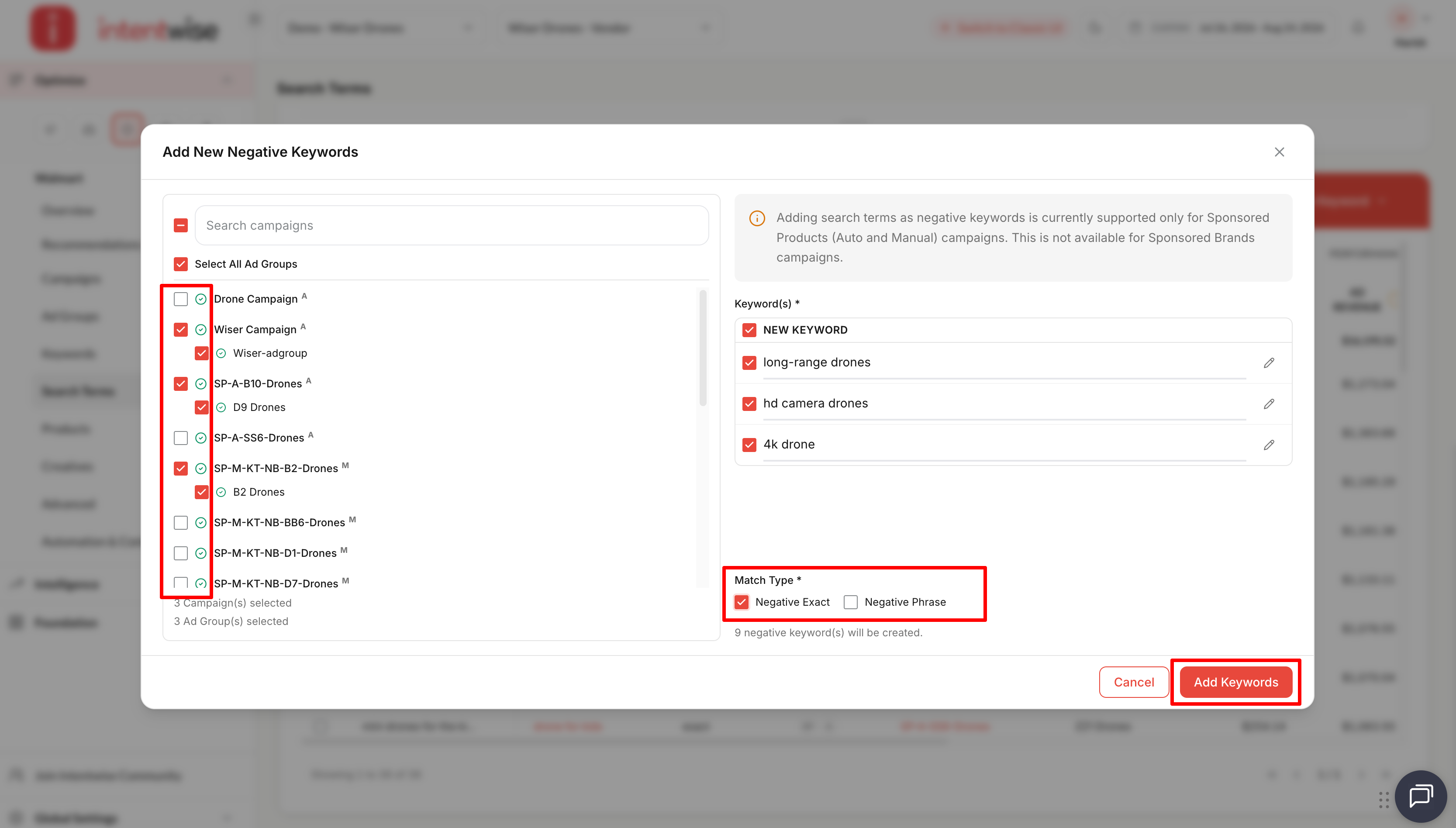
- Choose the match type - Negative Exact or Negative Phrase.
- Add them as negatives. They are applied to the ad group where the search term appeared.
Managing Negatives in the Keywords Dashboard
The Negative Keywords tab in the Keywords dashboard is the single place to view and manage every negative applied across your eligible SP Auto and Manual campaigns. Each entry shows its status, negative keyword, match type,ad group, campaign, and campaign type it applies to.
You can also add negatives manually from this tab when you already know the terms you want to block, without starting from a search-term report.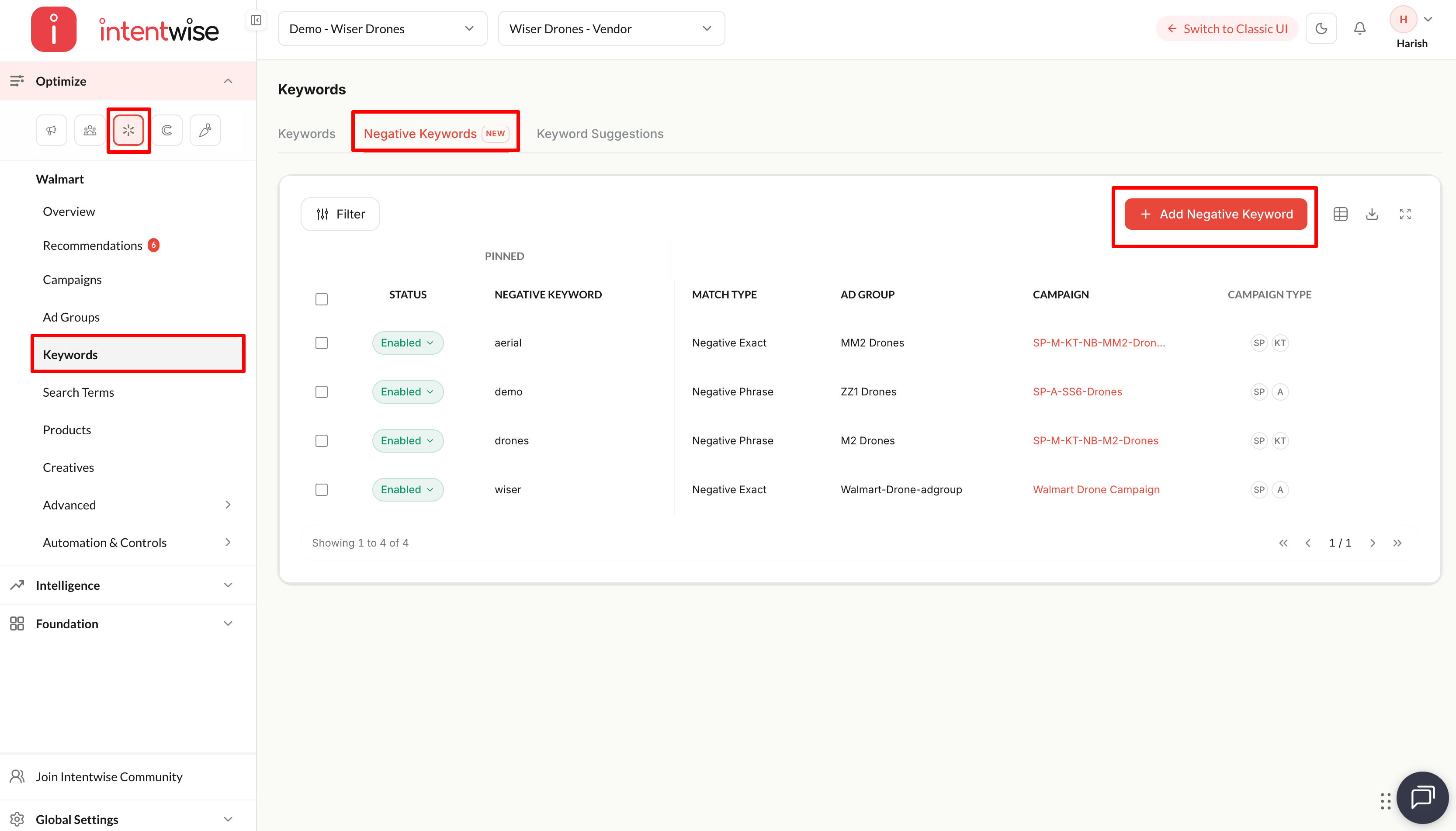
Limits
- 80 characters maximum per negative keyword.
- 500 negatives per ad group, counted across both match types combined.
Note: When you add negatives in bulk, Intentwise handles Walmart's submission batching automatically and validates character length and duplicates before submitting, so a large list won't fail partway through.
What to Expect
A few Walmart behaviors are worth knowing:
If you want to measure impact → use Intentwise's own performance data, such as comparing ACOS and wasted spend on the affected ad groups before and after. Negative-keyword activity is not included in Walmart's Snapshot reporting.
FAQs
1. Can I add negative keywords to Sponsored Brands or Sponsored Videos campaigns?
No. Walmart does not support negative keywords for Sponsored Brands or Sponsored Videos, so this applies to Sponsored Products only.
2. Does Walmart support broad negative match?
No. Only negative exact and negative phrase are available.
3. Can I delete a negative keyword?
There is no hard delete. You can pause a negative to stop it applying, or archive it, which is the terminal state.
4. Are negatives applied at the campaign level or ad group level?
Ad group level. A single negative applies to one ad group, and the 500-keyword limit is per ad group.