![footer-logo.png]](https://help.intentwise.com/hs-fs/hubfs/footer-logo.png?height=40&name=footer-logo.png)
DSP Order Copy
DSP Order Copy lets you copy multiple Amazon DSP orders at once, so you can scale orders faster without repeating the same setup steps.
Instead of copying orders one by one, you can now duplicate them in bulk with built-in validation and a quick review before launch.
Why Use DSP Order Copy?
Bulk Order Copy helps you:
- Save time when managing large DSP accounts
- Keep goals, KPIs, and budgets consistent across orders
- Reduce manual setup errors
- Launch Orders faster during peak events
What Gets Copied?
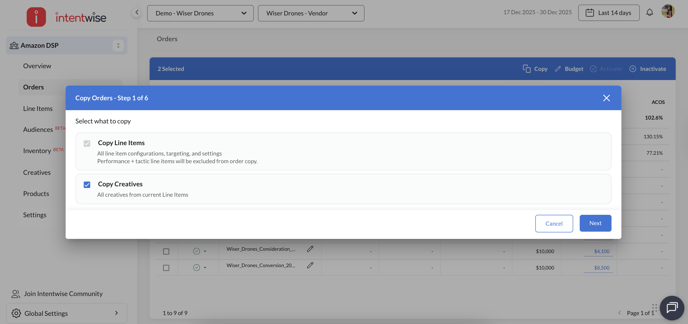
When copying orders, you can include:
- Line items (always copied) {Note: Performance+ tactic line items will be excluded from Order copy due to current set of limitations)
- Creatives (optional)
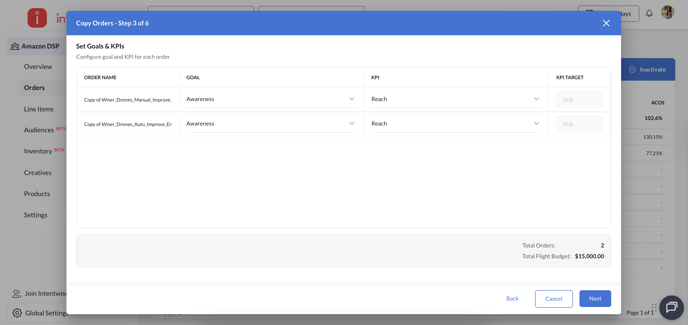
- Editable fields such as:
- Order name
-
- Budgets
-
- Dates
-
- Goal and KPI
Audiences and advanced targeting are copied as is and are not editable in this version
Steps for Copying Orders
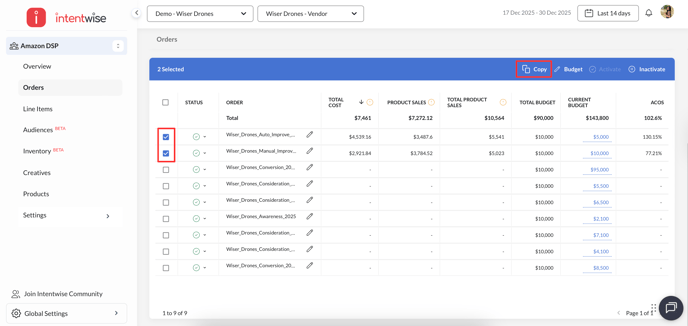
- Select Orders
-
- Select one or more orders from the DSP Orders dashboard
- Click Copy
- Review & Edit
- Review all selected orders in a table view
- Edit names, budgets, dates, goals, and KPIs inline
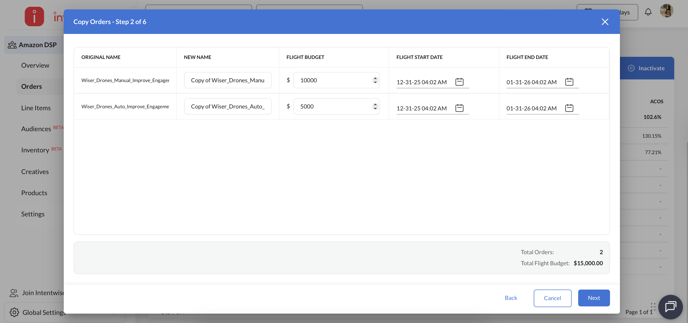
- The system automatically checks for issues like:
- Duplicate order names
- Invalid budgets or dates
- Missing required fields
- Assign Creatives
-
If you didn’t copy creatives:
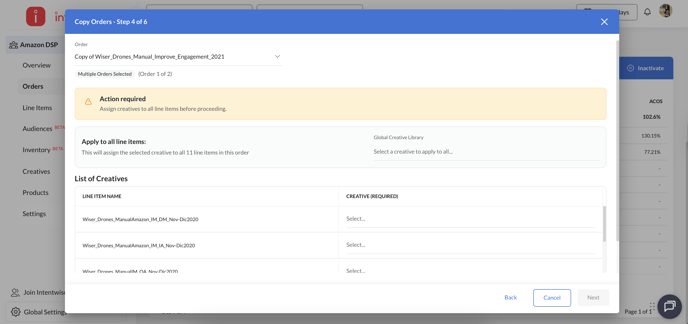
- Assign creatives to each line item before continuing
- Bulk assigning of creatives is also available
-
- Confirm & Copy
- Preview the final setup
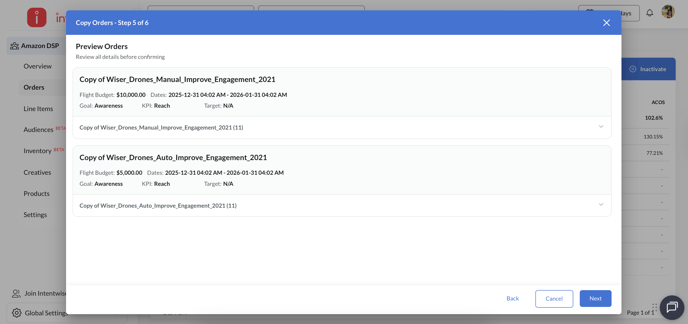
- Click Confirm Copy Orders
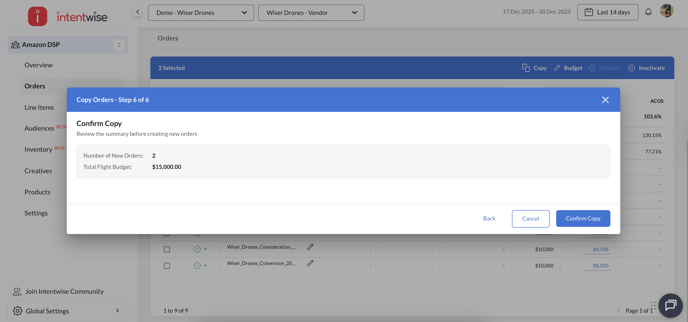
- Preview the final setup
Common Issues You Might See
- Duplicate order names → Update the name to continue
- Invalid dates or budgets → Fix the highlighted fields
- Missing creatives → Assign at least one creative per line item
The system highlights exactly what needs attention.
DSP Order Copy helps you duplicate multiple DSP orders quickly while keeping setups accurate and consistent.
It’s designed to remove repetitive work so you can focus on performance, not manual setup.